Avocado for iPad
A teleprompter that fills the iPad. On a stand, in a rig, or under the camera.
Big, clear type on black, the line you're reading wherever your eyes need it, and a script that follows your voice. Free to start.
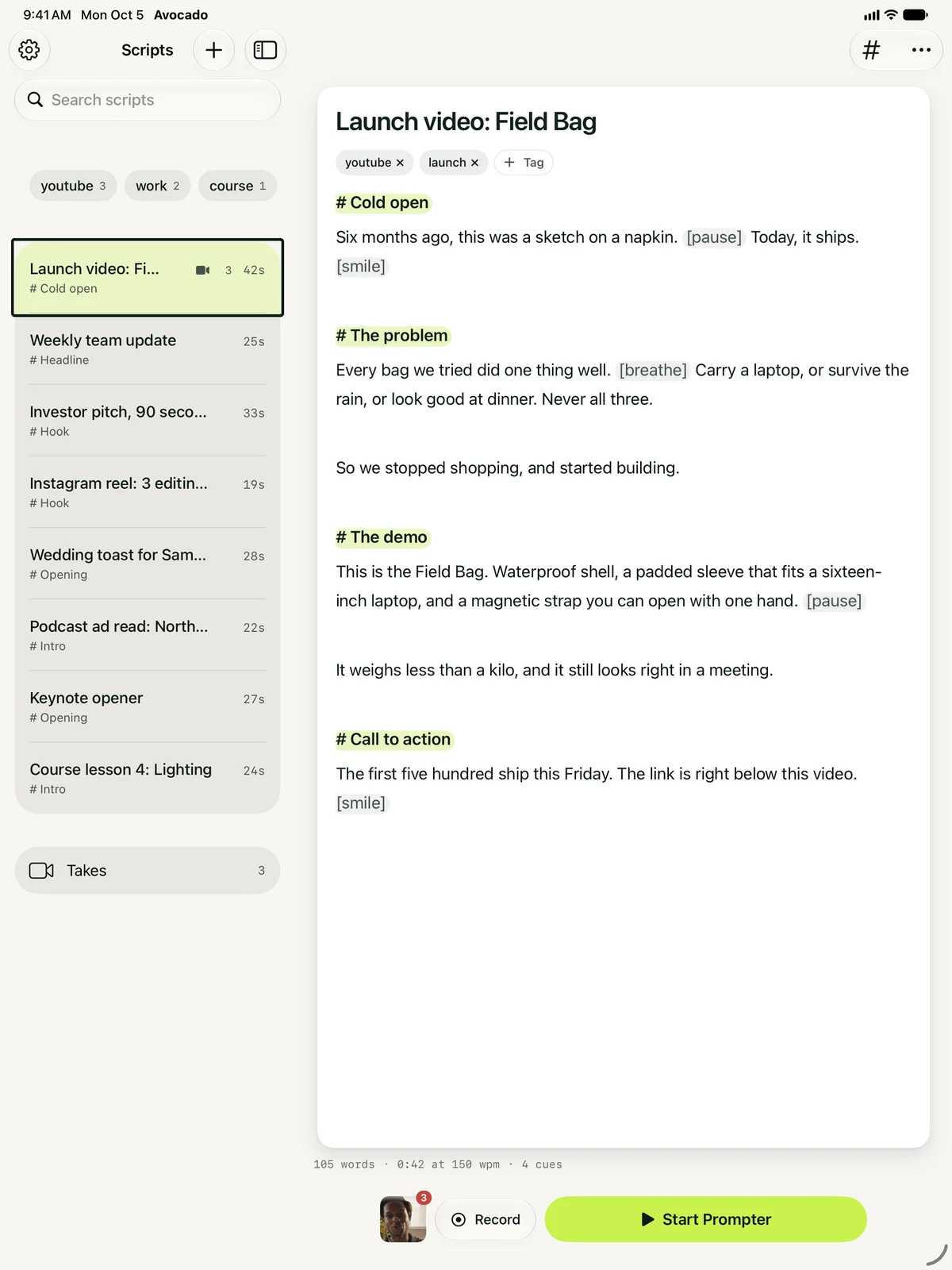
On a stand
Read where you look. Under the camera or mid-screen.
The line you're reading sits just under the front camera by default. Stand the iPad by your camera instead and switch the reading line to the middle of the screen, so your eyes stay level with the lens. Lines you've read dim, pinch to resize the text, and a double tap pauses.
The free version scrolls at a steady 50 to 300 words a minute, and you can nudge it while you read.
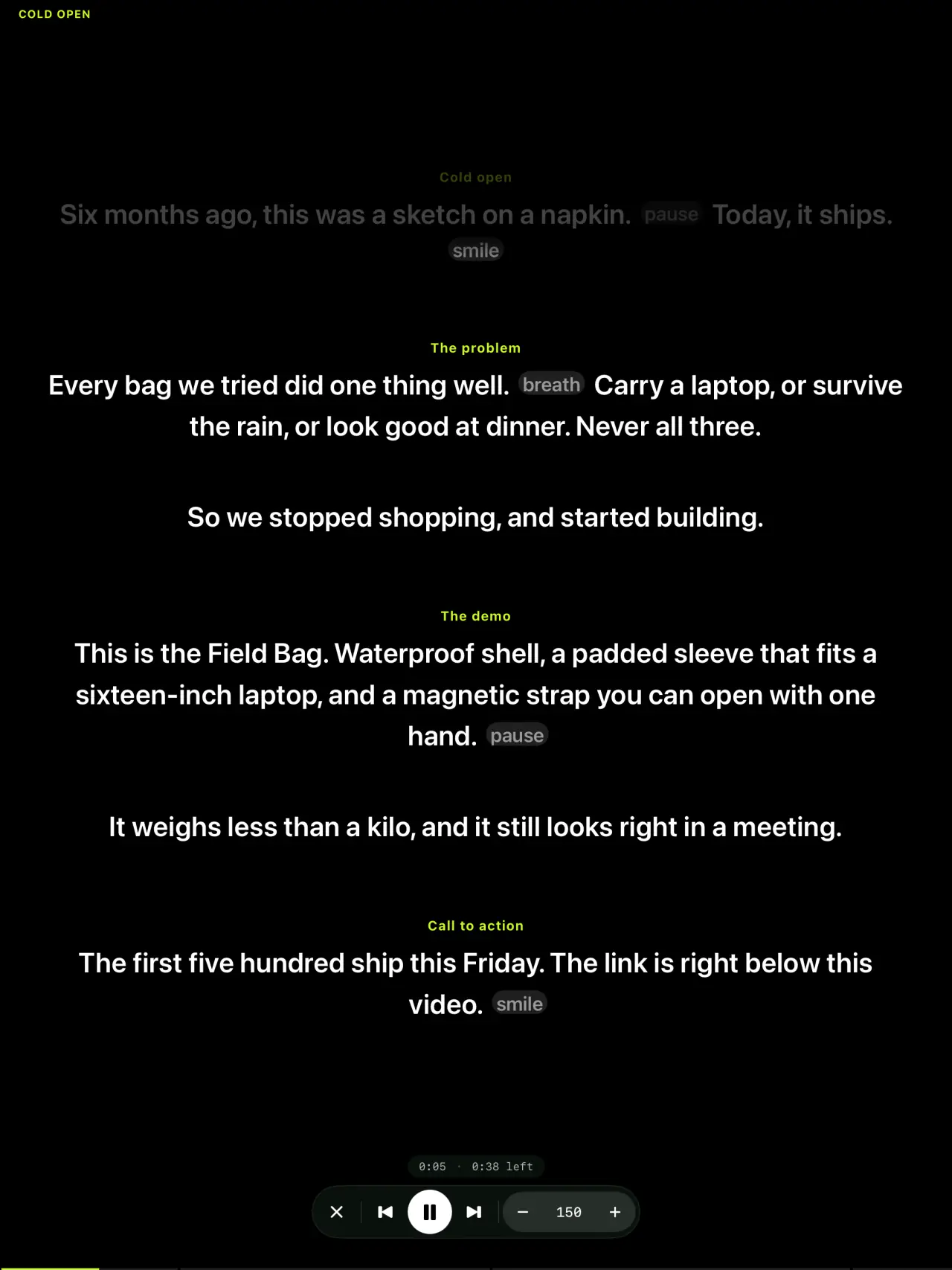
In a glass rig
Mirror Text, free. For any beam-splitter teleprompter.
Lay the iPad under the glass, turn on Mirror Text, and the camera films straight through your script. A Bluetooth page turner or a keyboard jumps between cues, so you never reach into the rig mid-take. How beam-splitter glass works and setting up a Neewer rig.
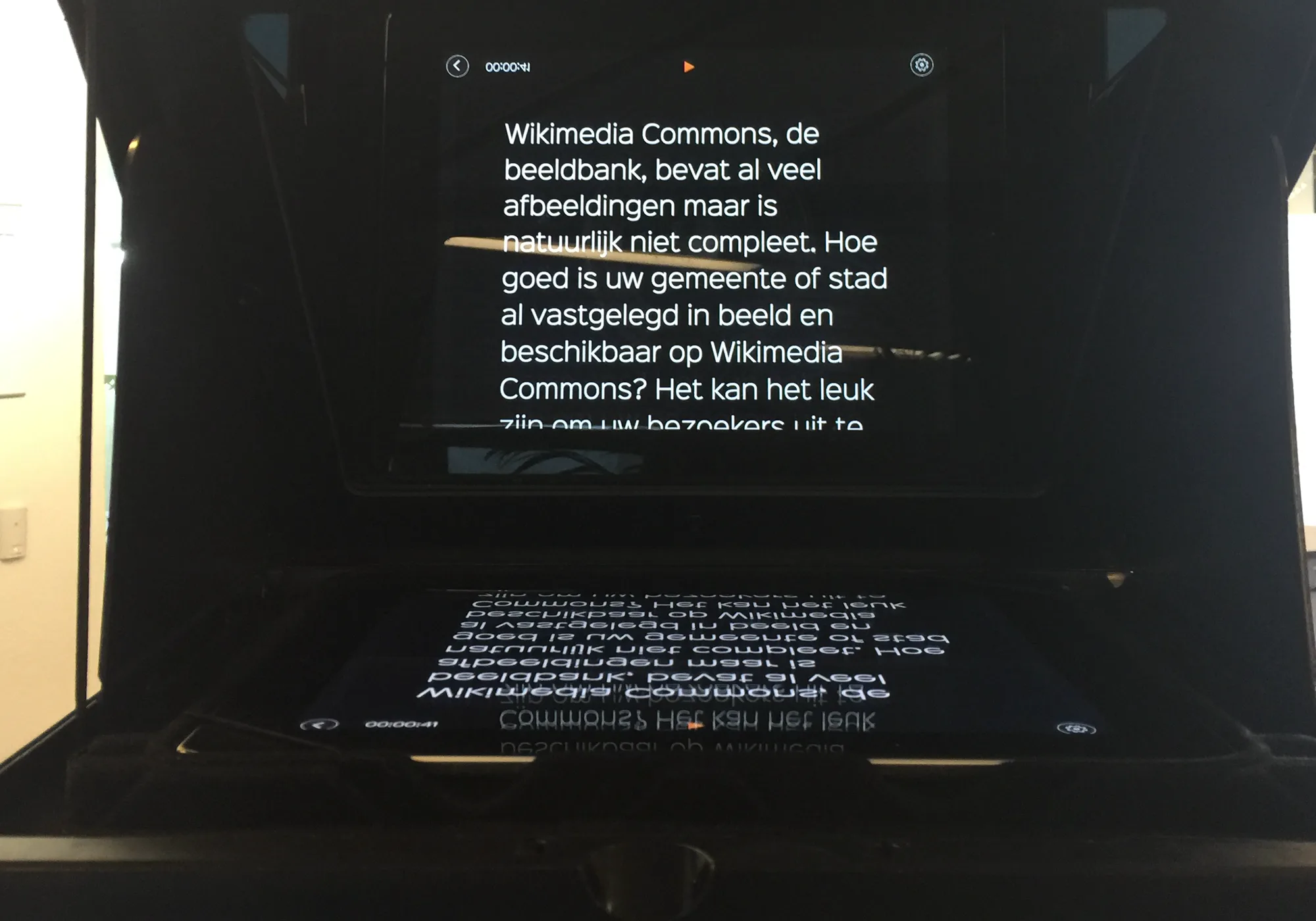
It moves when you speak. And the rest of what Avocado does on iPad.
Voice following
ProThe script moves while you talk and waits when you pause or ad-lib. Speech recognition runs on the iPad.
Adaptive Speed
ProIt learns your pace and remembers it for each language.
Captions
ProEach word lights up as you say it, spelled from your script. Burned into the take, or shared as subtitles.
Smart Cues and Tighten
ProApple Intelligence places pauses and breaths, and Tighten cuts filler. It never changes your meaning.
Cues and delivery marks
Start a line with # to make a cue you can jump to. Add [pause] or [breathe] for a beat.
Page turner and keyboard
Jump between cues and control the read without touching the screen.
Import or scan
Bring in text, Markdown and RTF, or scan a printed page with the camera.
Siri and Shortcuts
Start the prompter, record a take or begin a new script with Siri or a Shortcut. Recording needs Pro.
Record on the iPad
ProRead it, record it, cut the pauses.
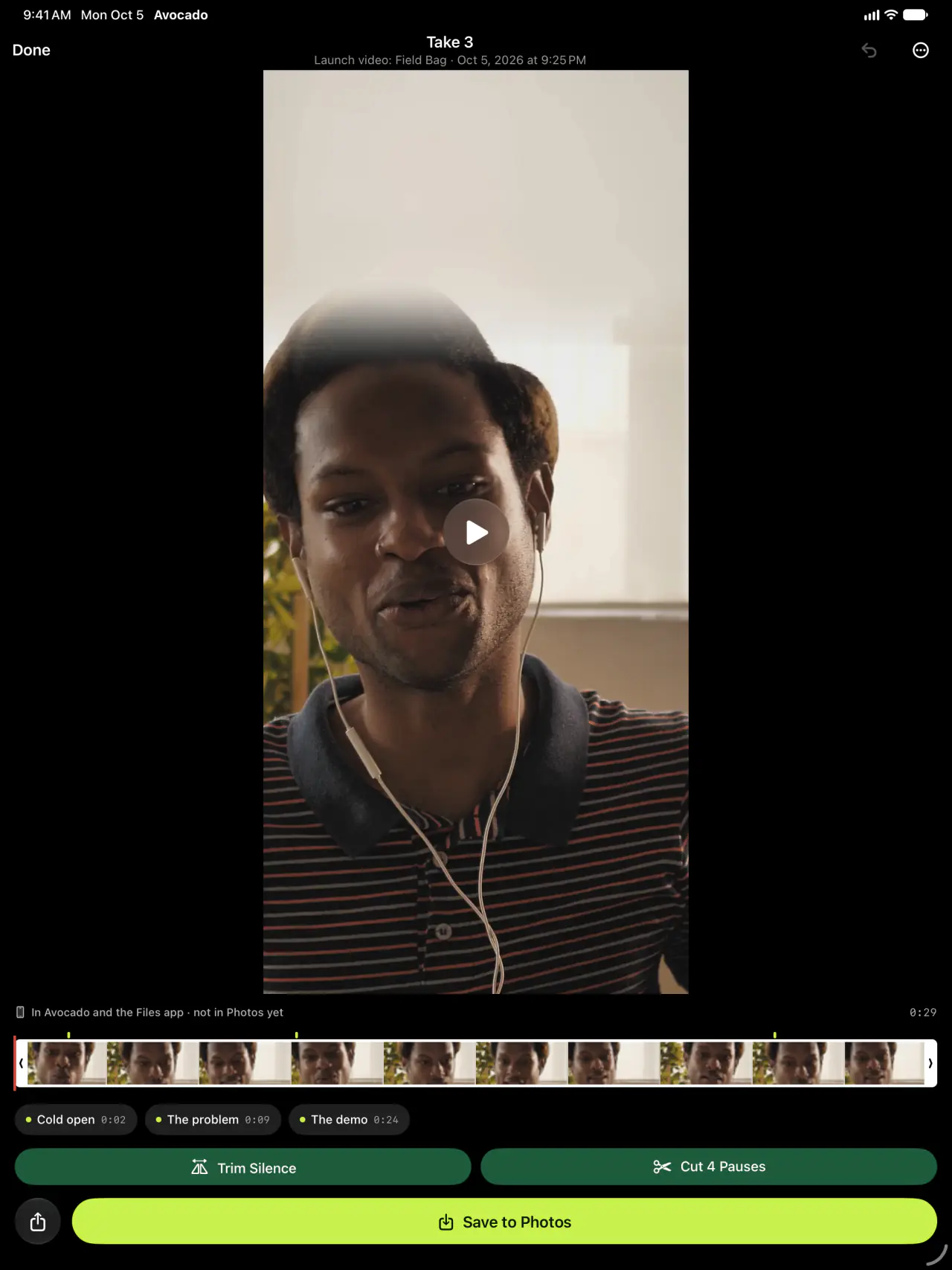
Film yourself on the iPad with the script right under its front camera. A volume button starts the take, and it stops a beat after your last line. Trim Silence and Cut Pauses tidy it in one tap, your cues are stamped on the timeline, and captions light up each word as you say it.
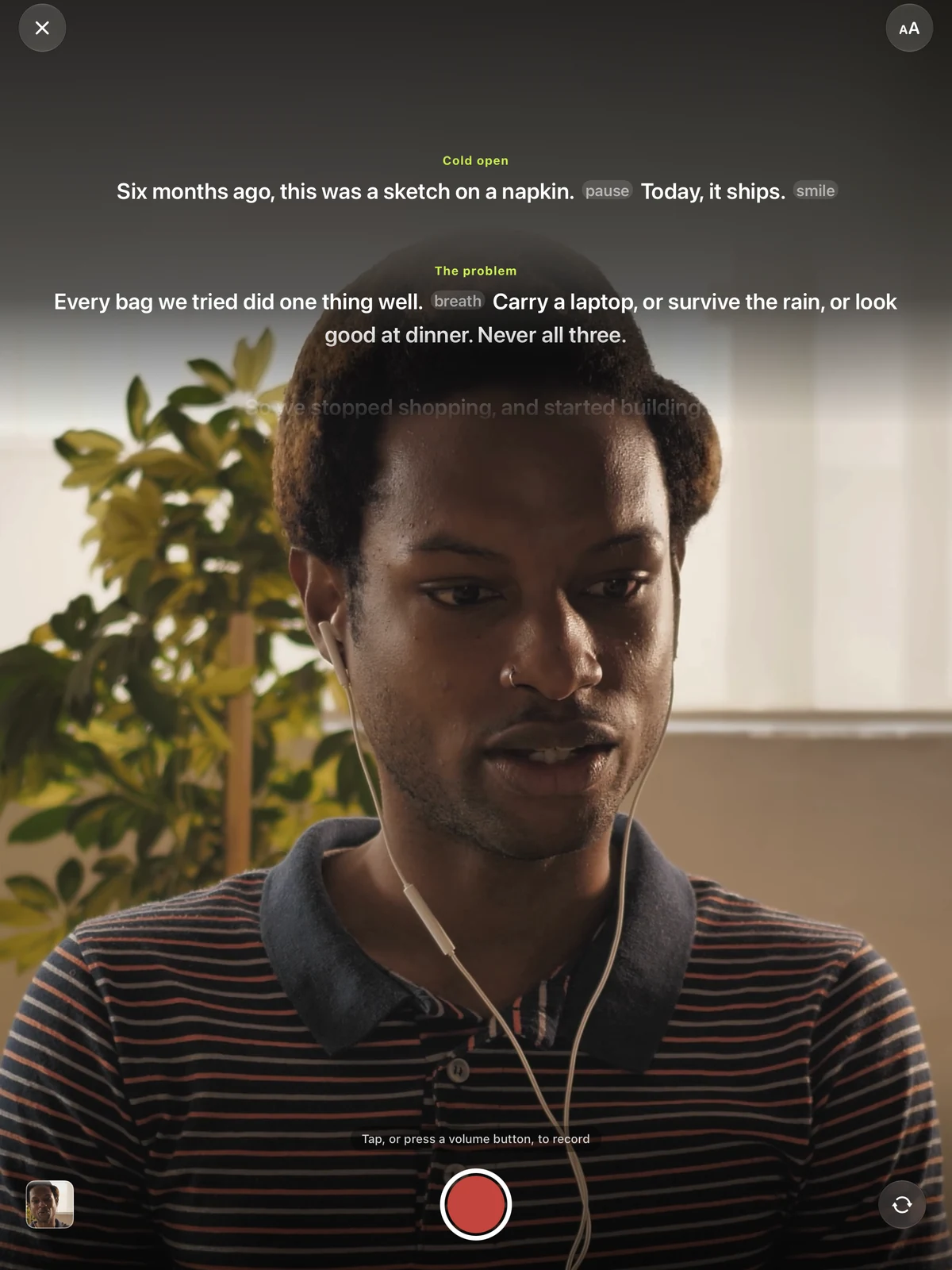
Take editor
ProEvery take, ready for Photos.
Frame the take 9:16, 4:5, 1:1 or 16:9, add captions spelled from your script, and save it to Photos or share it, with every edit kept until you change your mind.
Writing on the big screen? Your library sits beside the script. Start a line with # to make a cue, add [pause] or [breathe] for a beat, or let Smart Cues place them with Apple Intelligence.
Free to start. Pro when you want the script to listen.
- The prompter, full screen, at 50 to 300 wpm
- The reading line under the camera or mid-screen
- Mirror Text for a beam-splitter rig
- Cues you jump between, and delivery marks
- Keyboard and Bluetooth page-turner control
- Import text, Markdown and RTF, or scan a page
Voice following, recording, captions and Apple Intelligence.
Subscribe in the app. One subscription covers your iPad and iPhone.
Questions about Avocado on iPad.
Your next take starts on the big screen.
Free for iPhone and iPad. No account, no card.
