Adaptive speed, not just voice detection
Both scroll when you speak. Avocado also learns your natural pace in real time and adjusts as you go, so the text keeps up when you speed up rather than falling behind.
Compare · vs. NotchPrompter
NotchPrompter is free, open-source and does the core job properly. This is an honest look at where an extra layer of app earns its keep — and where it doesn't.
| Feature | Avocado | NotchPrompter |
|---|---|---|
| Pricing | Free · $7.99/mo · $79.99/yr | Free, open source (MIT) |
| Notch placement | Free | Yes |
| Invisible on screen shares | Free | Yes |
| Voice-activated scrolling | Pro · 3 free sessions a week | Yes |
| Adaptive speed | Pro · 3 free sessions a week | No |
| Script library, tags & search | Free | No |
| Records & trims takes | Pro | No |
| AI Smart Cues (Apple Intelligence) | Pro | No |
| Remote control by a second person | Pro | No |
| Prompt on up to 5 devices | Pro | Multi-monitor |
| Rehearsal history & coaching | Receipts free · full history Pro | No |
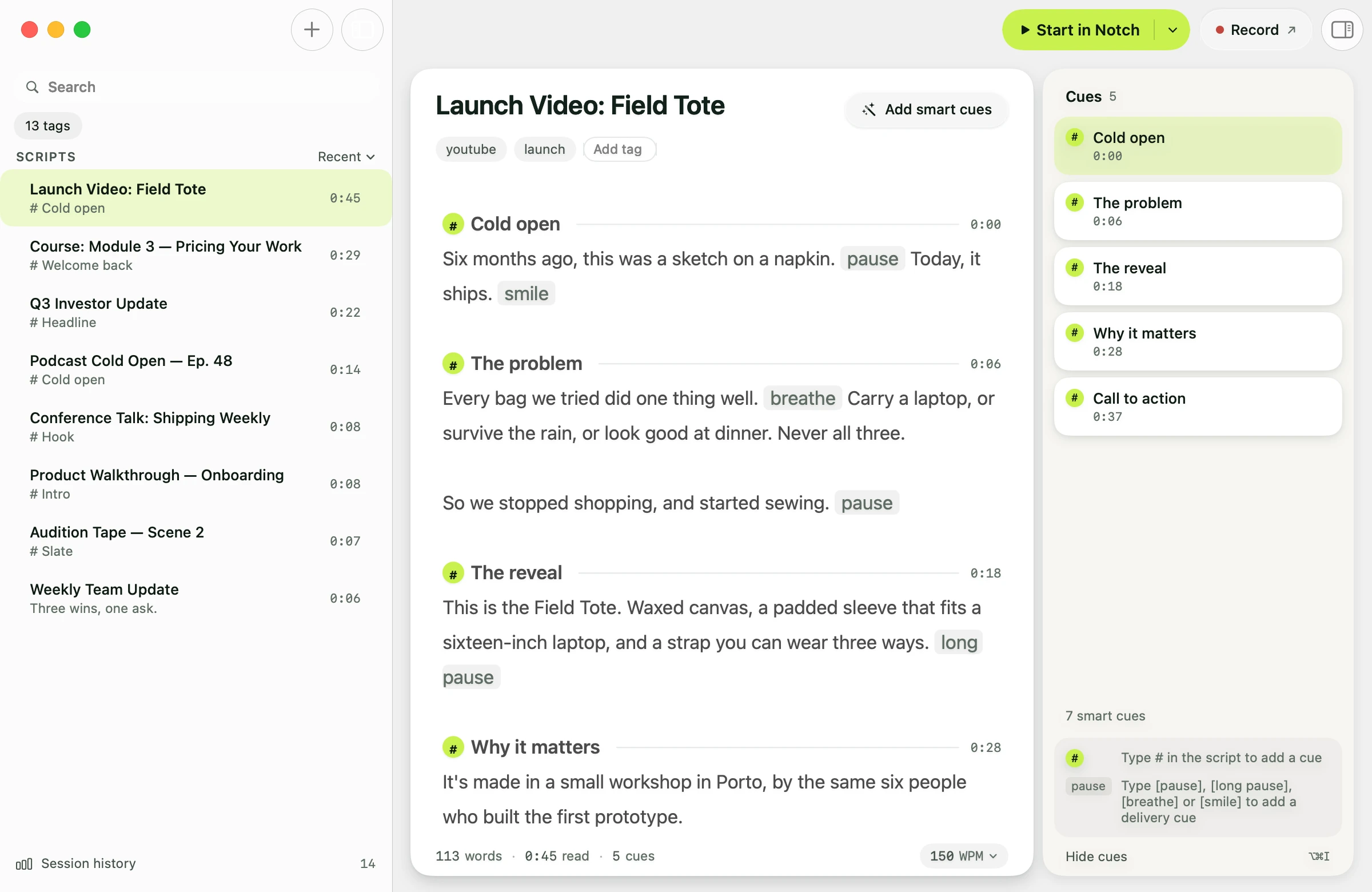
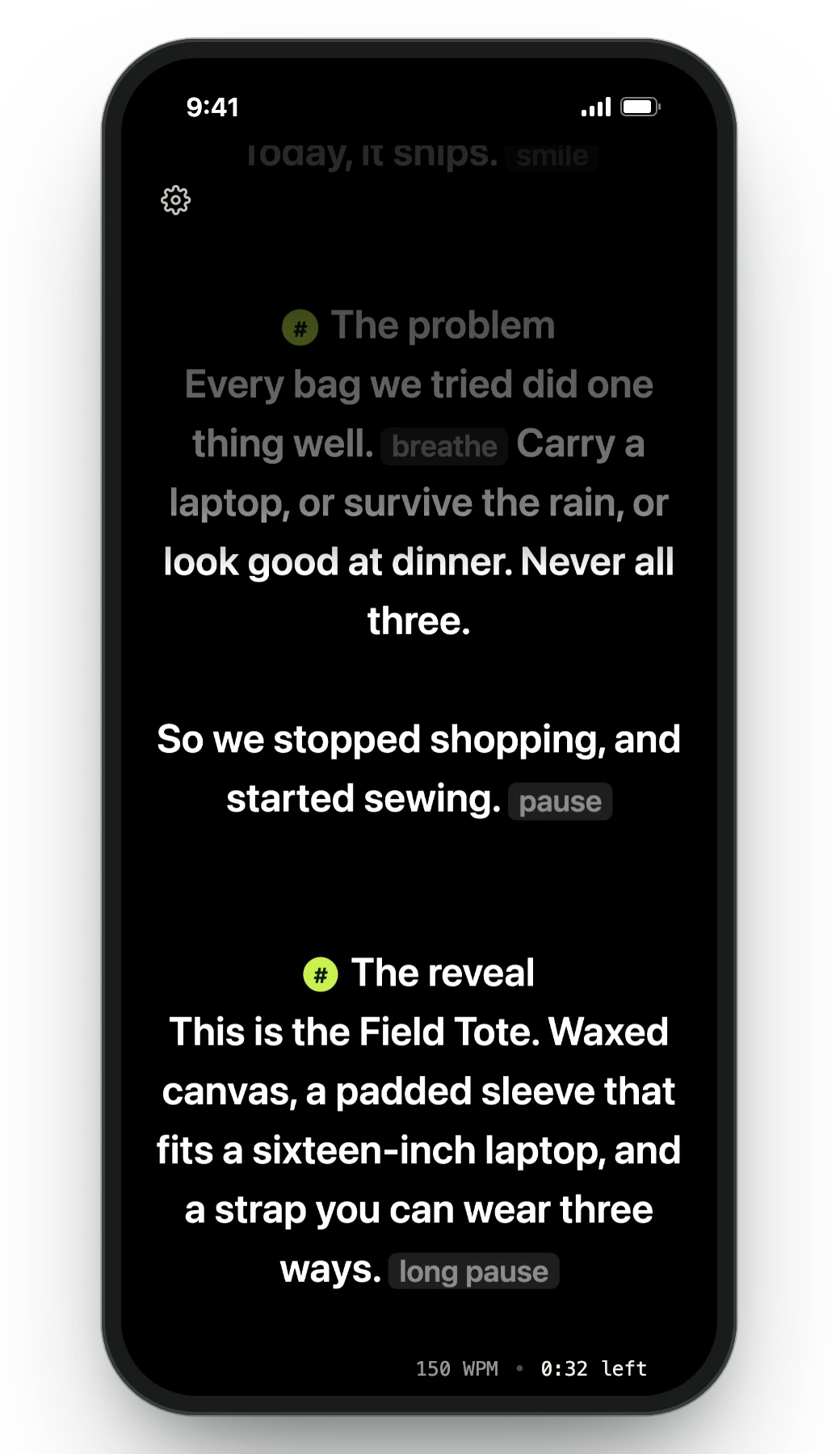
Both scroll when you speak. Avocado also learns your natural pace in real time and adjusts as you go, so the text keeps up when you speed up rather than falling behind.
PowerPoint import that creates a marker per slide, a tagged and searchable script library, and markers you can jump between mid-take. NotchPrompter is deliberately a prompter, not a script tool.
Director Mode lets someone else run the prompter from their phone on your local network. The Viewer mirrors your script to up to five devices at once through a browser. Neither exists in NotchPrompter.
Session receipts, run-over-run history per script, a weekly recap and on-device Delivery Coaching — so the tenth run is measurably better than the first rather than just more familiar.
An honest take
NotchPrompter is genuinely free and open-source, and it would be silly to pretend otherwise: if all you want is a script above your lens at zero cost with no upgrade path in sight, it's the honest answer. Avocado's free tier is also free — pick it if you want the script library, adaptive speed and rehearsal history alongside, and Pro only if you need multi-device or Smart Cues.
Avocado has a permanent free tier with no card or account: unlimited constant-speed scrolling, notch and floating modes, screen-share invisibility, Focus Guide, Script Markers, PowerPoint import, plus three voice-scrolling sessions a week. NotchPrompter is entirely free and open-source with no paid tier at all. Both cost nothing to start.
Adaptive speed that learns your pace, a searchable script library with tags and markers, PowerPoint import, session receipts and rehearsal history — and on Pro: AI Smart Cues, Director Mode for remote control, and the five-device Teleprompter Viewer.
Open source lets anyone audit the code, which is a real advantage. On behaviour the two are comparable: Avocado processes speech on-device through Apple's framework, sends nothing to a server and works fully offline, with no account required.
Avocado ships on a regular release cycle with a published changelog. Open-source projects vary with maintainer availability — worth checking NotchPrompter's recent commit history before relying on it for work.
Free for Mac. No account, no card.
