Avocado for iPhone and iPad
Your script, right under the lens. Now on iPhone and iPad.
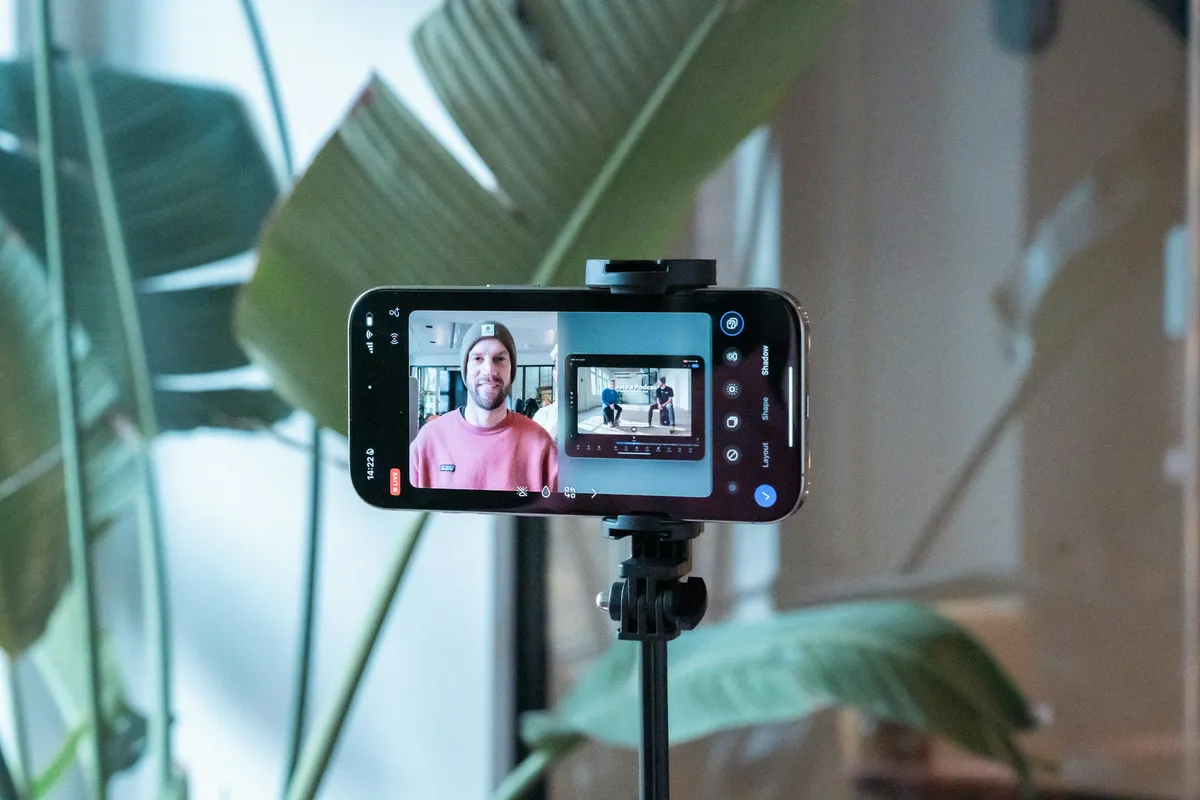
The prompter sits just below the front camera and moves as you speak. Record the take while you read, then cut the pauses in one tap.
Voice following
ProIt moves when you speak. It waits when you pause.
Avocado listens as you read and keeps the next line at your eye line. Adaptive Speed learns your pace and remembers it for each language. Speech recognition runs on your iPhone.
Record a take
ProCut the pauses. Keep the take.
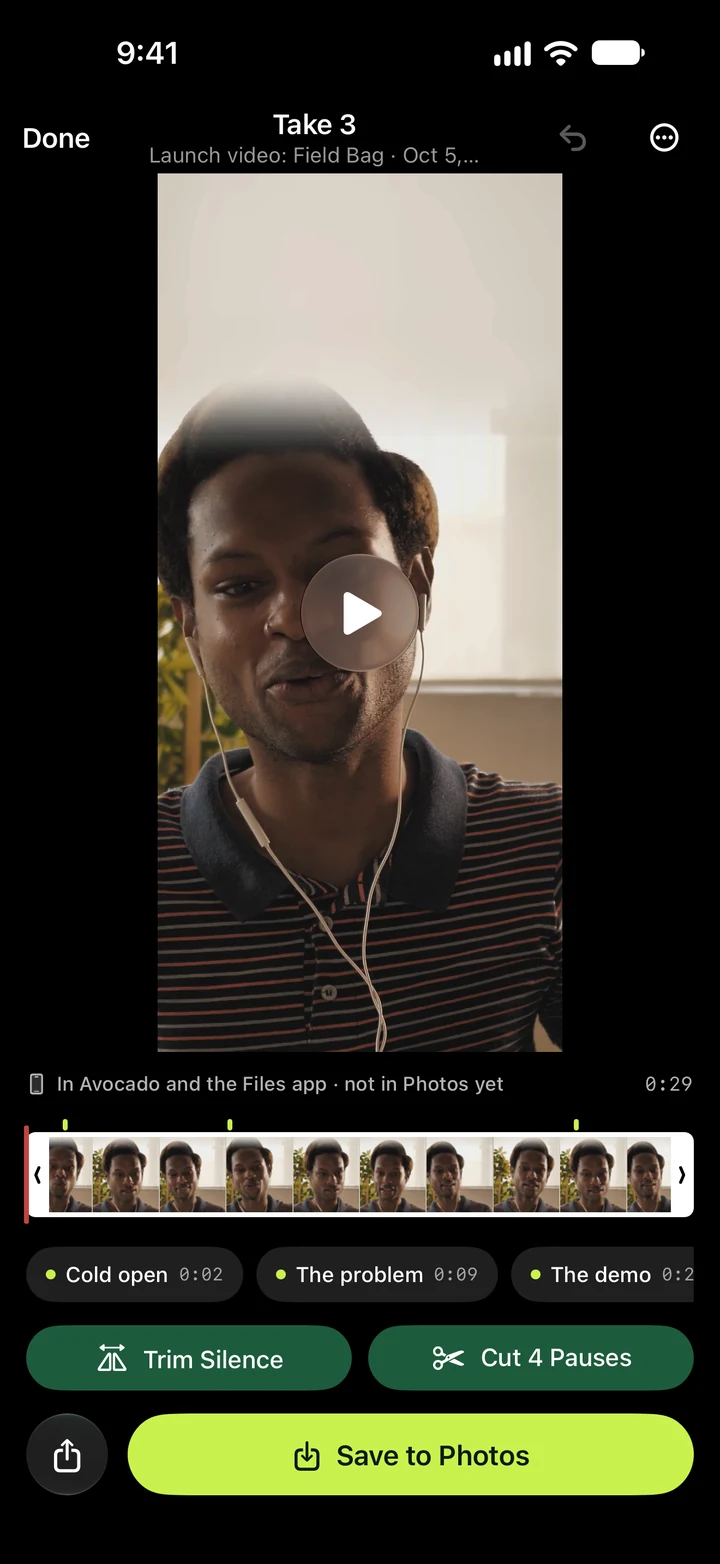
Film yourself with the script right under the camera. The volume buttons start a take, and it stops a beat after your last line. Then trim the silence and cut the long pauses in one tap, and save it to Photos.
Write
Mark it up. Read it live.
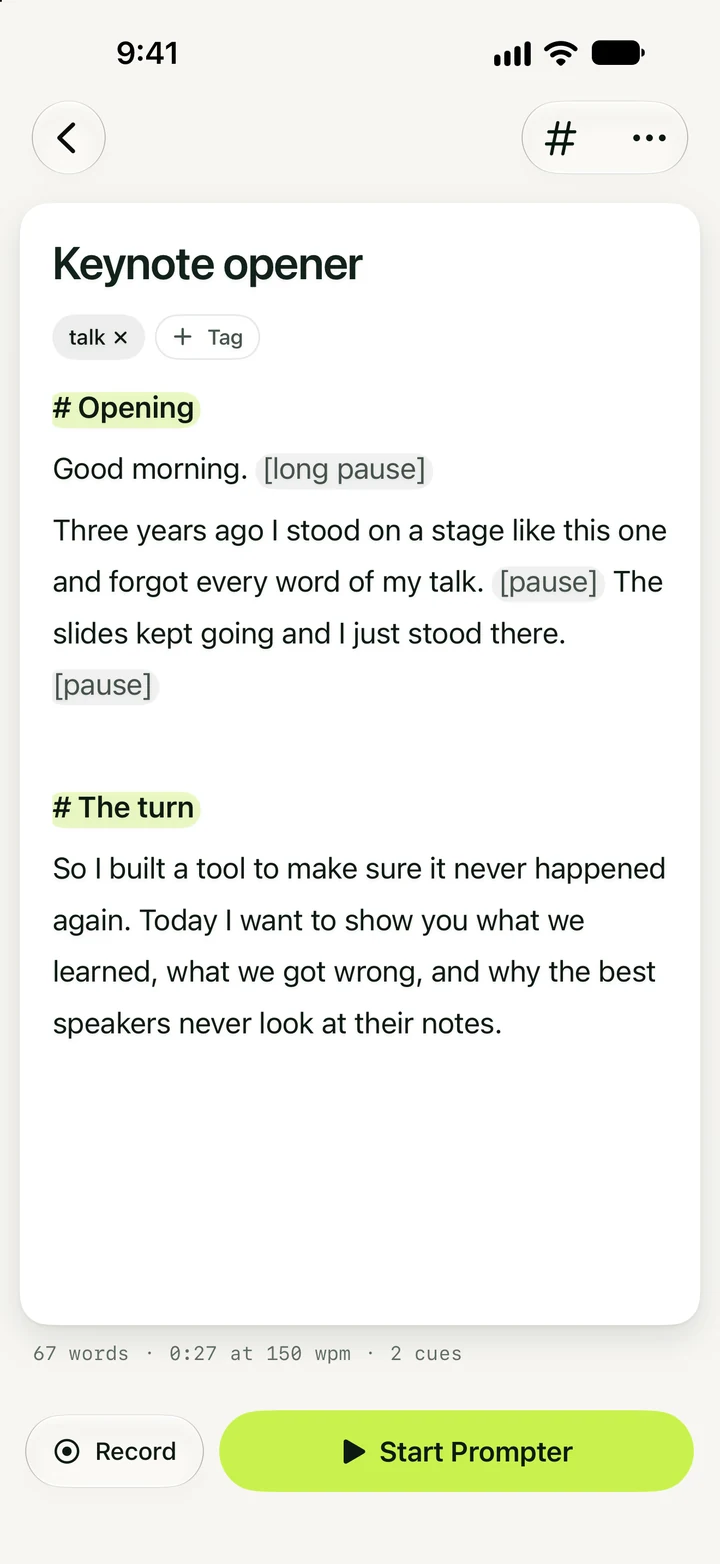
Start a line with # to make a cue you can jump to mid-read. Add [pause] or [breathe] where you need a beat, or let Smart Cues place them with Apple Intelligence. It never changes a word.
Apple Watch
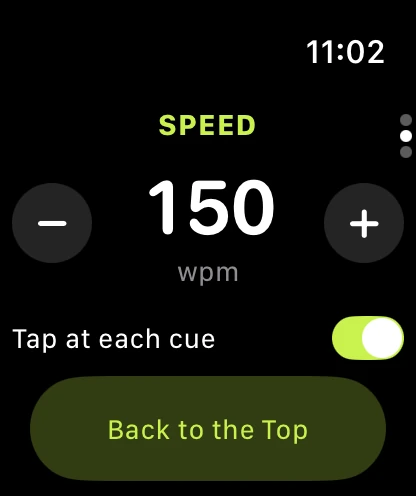
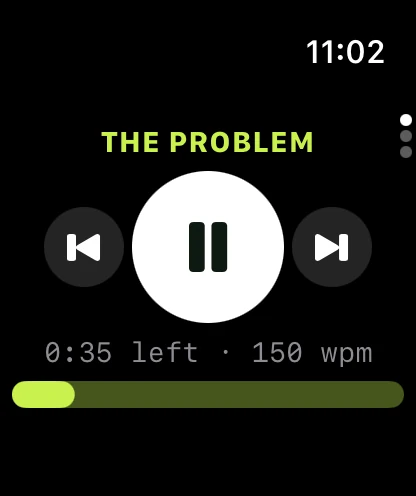
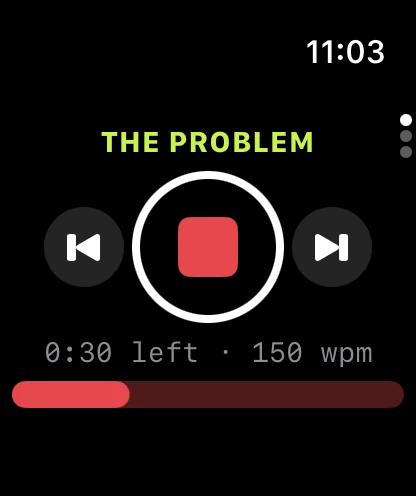
On your wrist. Play, pause and jump between cues without touching the phone.
Avocado on Apple Watch runs the prompter and the recorder on your iPhone. Turn the Digital Crown to change the speed, start a take from across the room, and feel a tap at each cue so you know where you are without looking down.
iPad
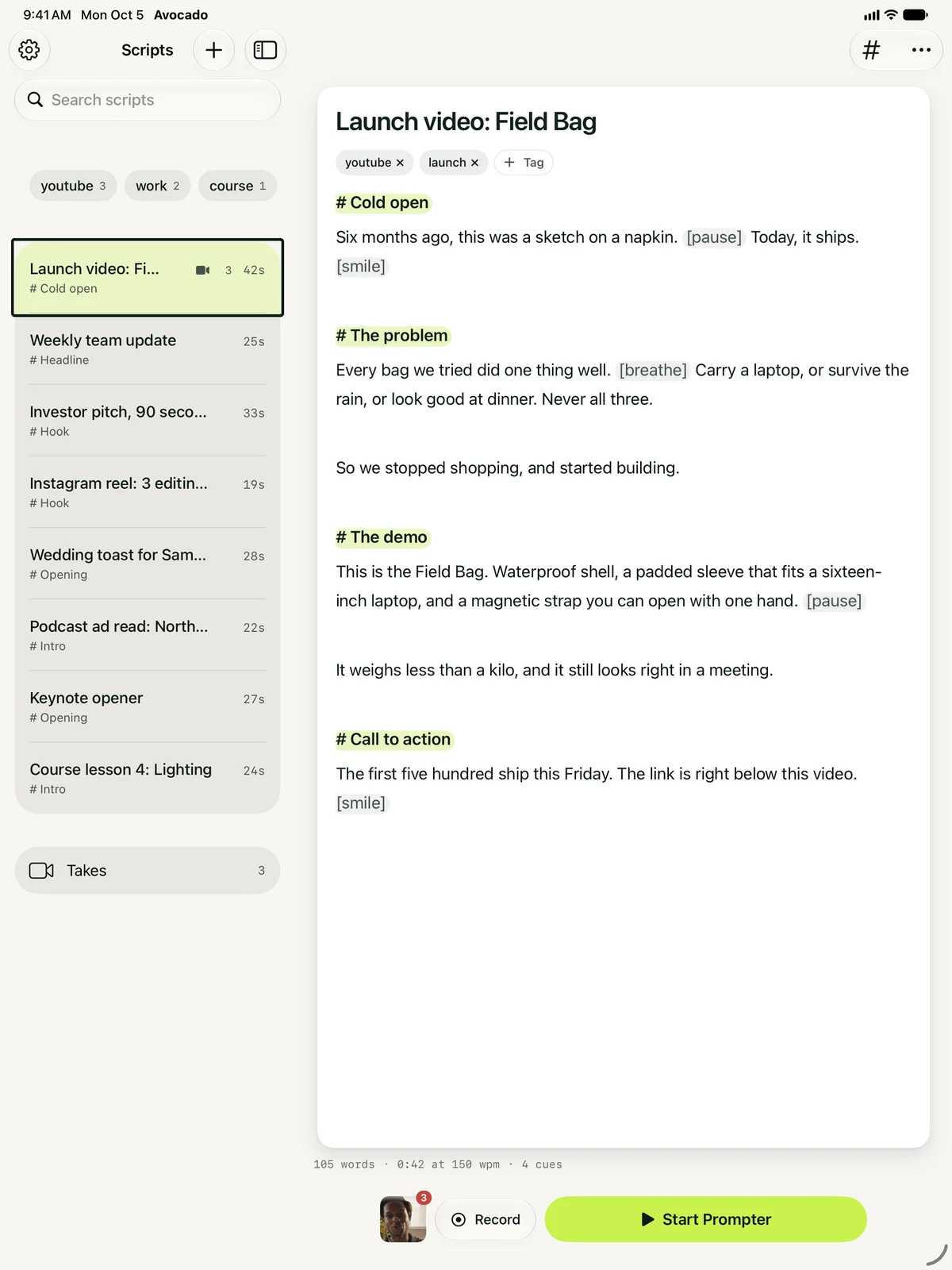
Bigger on iPad. Your library beside the script, and a prompter that fills the screen.
Free to start. Pro when you want the script to listen.
- The prompter, at any speed from 50 to 300 wpm
- Cues you jump between, and delivery marks
- Mirror Text for a beam-splitter rig
- Import text, Markdown and RTF, or scan a page
- Keyboard and Bluetooth page-turner control
Voice following, recording and Apple Intelligence on iPhone, iPad and Mac.
Subscribe in the app, or use the Pro you already have: the same Apple Account unlocks it everywhere, and a licence key from this website works in Settings › Avocado Pro.
Compare plans →Questions about Avocado on iPhone.
Yes. The prompter, cues, delivery marks, import, scanning and your whole library are free, scrolling at a steady pace. Pro adds voice following, recording takes and Apple Intelligence.
No. Pro is one subscription for iPhone, iPad and Mac. If you subscribed in the Mac App Store, it unlocks on any device with the same Apple Account. If you subscribed on this website, enter your licence key in the app under Settings › Avocado Pro.
No. Speech recognition and the on-device Apple Intelligence model run on your iPhone, and your scripts stay on it.
iPhone and iPad with iOS 17 or later, and Apple Watch with watchOS 10 or later as a remote. Smart Cues and Tighten need Apple Intelligence (iOS 26 or later on a supported device).
It's a remote for the prompter and the recorder on your iPhone: play and pause, start and stop a take, jump between cues, set the speed with the Digital Crown, and start a recent script. It taps your wrist at each cue. It comes with the iPhone app and is free.
Your next take starts in your pocket.
Free for iPhone and iPad. No account, no card.