Download

Avocado vs. CueNotch

Both sit in the notch, both vanish from screen shares, both scroll with your voice. What separates them is what you get before paying — and what happens when the job is bigger than one person at one Mac.

See Pro Plans →
macOS 14.0 Sonoma or newer
Free to start
No account needed
Detailed feature comparison between Avocado and CueNotch
FeatureAvocadoCueNotch
PricingFree · $7.99/mo · $79.99/yr$29.99 once
Usable free tierPermanent, no cardNo
Notch placementFreeYes
Invisible on screen sharesFreeYes
Voice-activated scrollingFreeYes
Adaptive speedFreeNo
Remote control by a second personProNo
Prompt on up to 5 devicesProNo
Rehearsal history & coachingFreeRehearsal coaching
PowerPoint (.pptx) importFreeNo
Free
included in Avocado's free tier
Pro
needs Avocado Pro, $7.99/mo or $79.99/yr
No
not available

What that looks like

Feature tables flatten everything into a tick. Here is the part that doesn't fit in a cell.

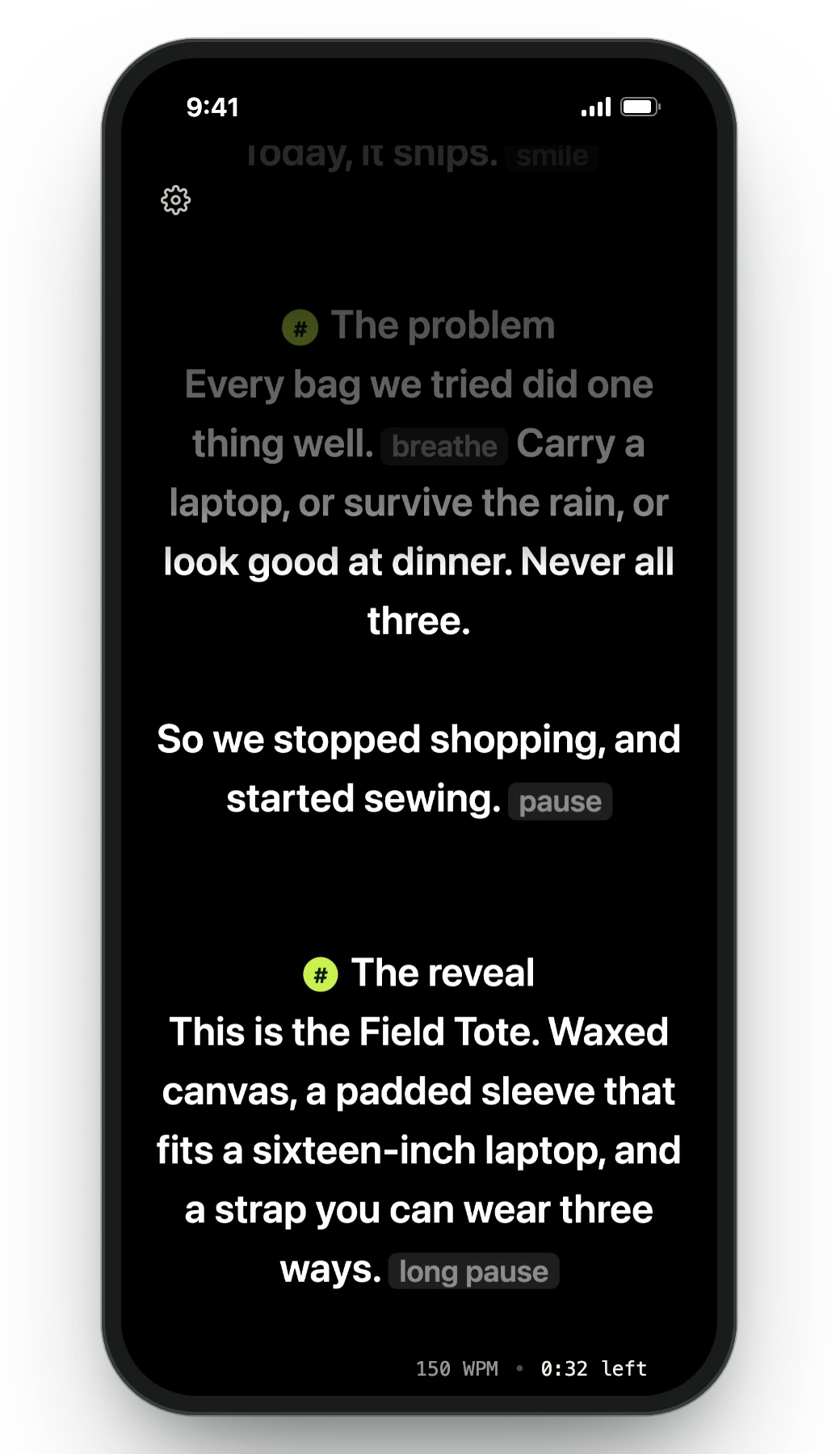
One script on up to five devices at once, all driven by your Mac's microphone.
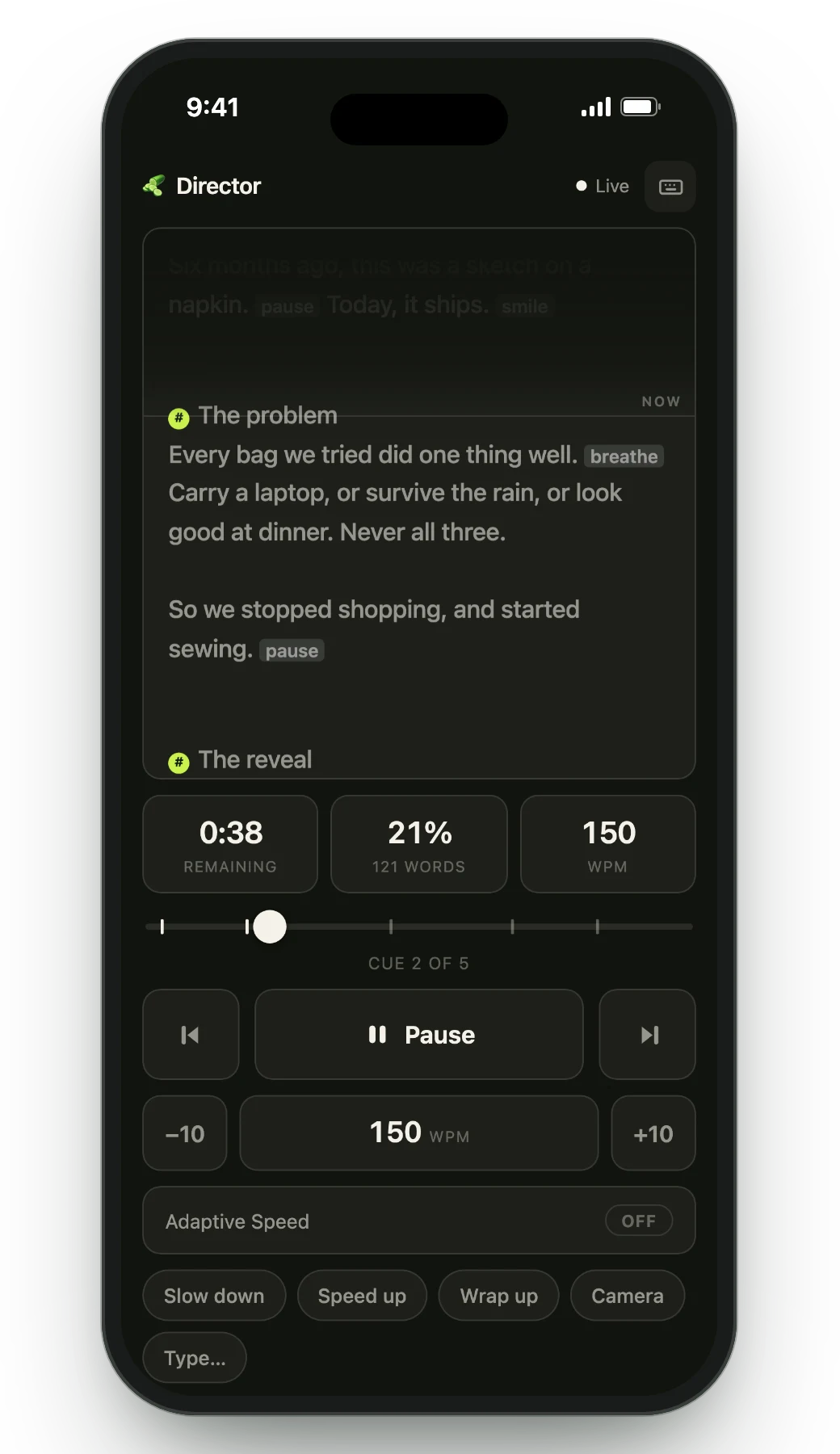
Director Mode hands play, pause and markers to someone else's phone, over your own Wi-Fi.
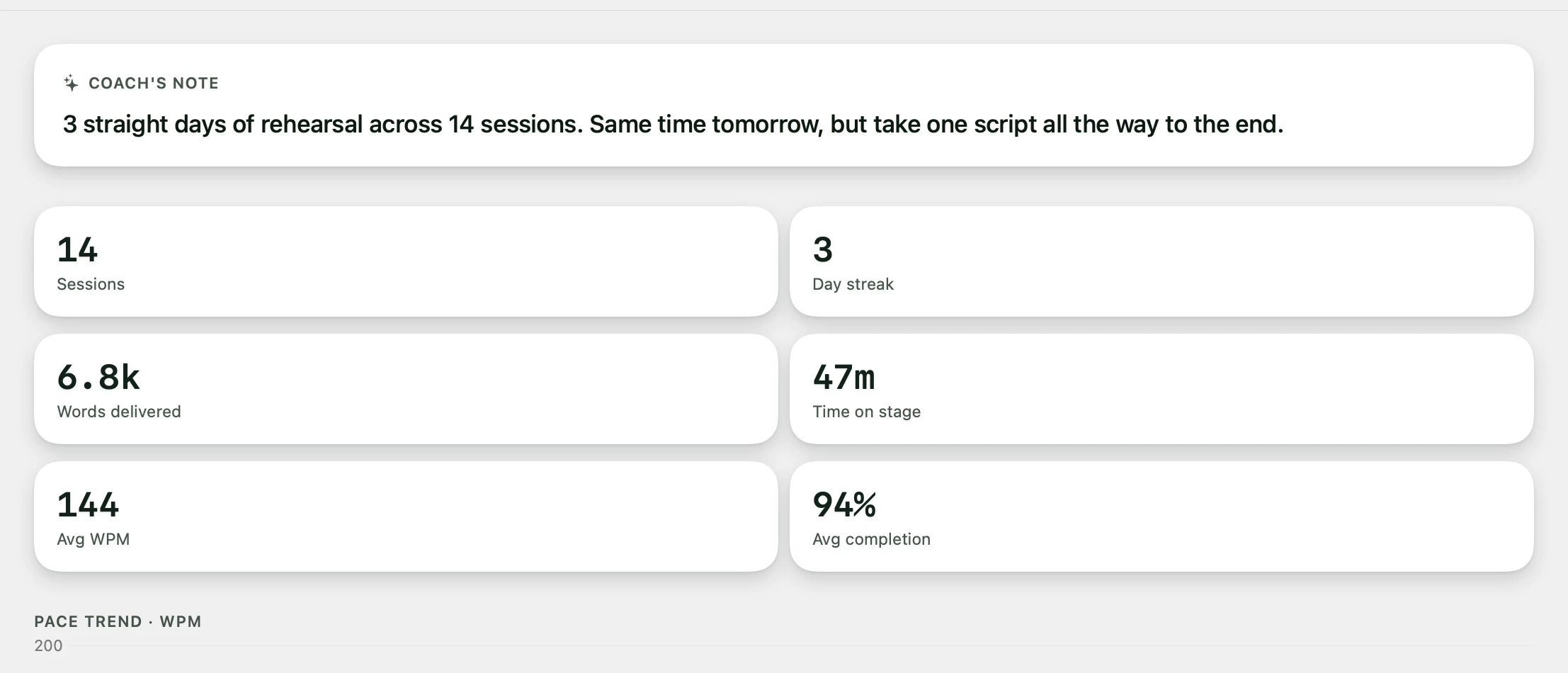
A session receipt showing pace, completion and milestones after a recording
Every session ends with a receipt: pace, completion, and where you drifted.

Why professionals choose Avocado over CueNotch

A free tier you can actually live in

CueNotch is $29.99 up front with no free mode, so the only way to learn whether it suits you is to buy it. Avocado's free tier is permanent: unlimited words-per-minute scrolling, notch and floating modes, screen-share invisibility, Focus Guide, Script Markers and PowerPoint import, with no card and no expiry.

It reaches past your own screen

Director Mode hands play, pause, scrubbing and markers to a producer on their own phone over your local Wi-Fi. The Teleprompter Viewer casts the same script to up to five devices at once through a plain browser. CueNotch stops at your Mac.

Feedback that accumulates

CueNotch offers rehearsal coaching, so this is the one place the two genuinely overlap. Avocado adds run-over-run history per script, session receipts with pace and completion, a weekly recap, and on-device Delivery Coaching.

Adaptive speed, not just voice detection

Beyond following your words, Avocado learns your natural pace in real time and adjusts the scroll to match — so there's nothing to chase when you speed up to land a point.

When to pick CueNotch instead

If you only ever prompt yourself, on one Mac, and would rather pay once than subscribe, CueNotch is a good app at a fair price — $29.99 works out cheaper than Avocado Pro inside about four months. Choose Avocado if you want to try before paying anything, or if a second screen or a second operator is ever part of the job.

Frequently Asked Questions

Is Avocado or CueNotch better for Mac?
They tie on the mechanics — both use the MacBook notch, both exclude themselves from screen capture at the macOS level, both scroll with your voice. Avocado is better if you want a permanent free tier, prompting across several devices, remote control by another person, or rehearsal history. CueNotch is better if you specifically prefer a one-time purchase.
Does CueNotch have a free version?
No. CueNotch is a $29.99 one-time purchase with no free tier, so you buy first and find out afterwards. Avocado's free tier is permanent and needs no card — unlimited constant-speed scrolling, notch and floating modes, screen-share invisibility, Focus Guide and Script Markers, plus three full-Pro passes every week.
Are both invisible on Zoom and screen shares?
Yes. Both use the same documented macOS capability — a window can set its sharing type so the system excludes it from every screen-capture API. Neither is doing anything the other can't; it's table stakes for notch prompters in 2026.
Which is cheaper over time?
CueNotch, if you need Pro features. $29.99 once is less than Avocado Pro at $7.99/mo or $79.99/yr beyond about four months. But Avocado's free tier costs nothing indefinitely, so for many people the honest comparison is $29.99 against $0.