How it works
Read your script. Look at the lens.
Avocado puts your words directly under the camera, scrolls them as you speak, and stays out of every recording and screen share. Everything runs on your Mac, with no account and no upload. Here's what's happening underneath.
01
Your script goes where your eyes already are.
- Notch Mode
- Snaps into the MacBook camera notch, placing the text at the exact height of the lens.
- Floating Mode
- A draggable, resizable window for external displays, studio monitors, and Macs without a notch.
02
It moves when you speak. It waits when you stop.
- Voice scrolling
- Apple's on-device speech recognition matches what you say against the script and advances the text in step.
- Adaptive speed
- Learns your natural pace in real time and adjusts as you go, so there's no slider to touch mid-take.
03
Nobody else can see it. Nothing you say leaves your Mac.
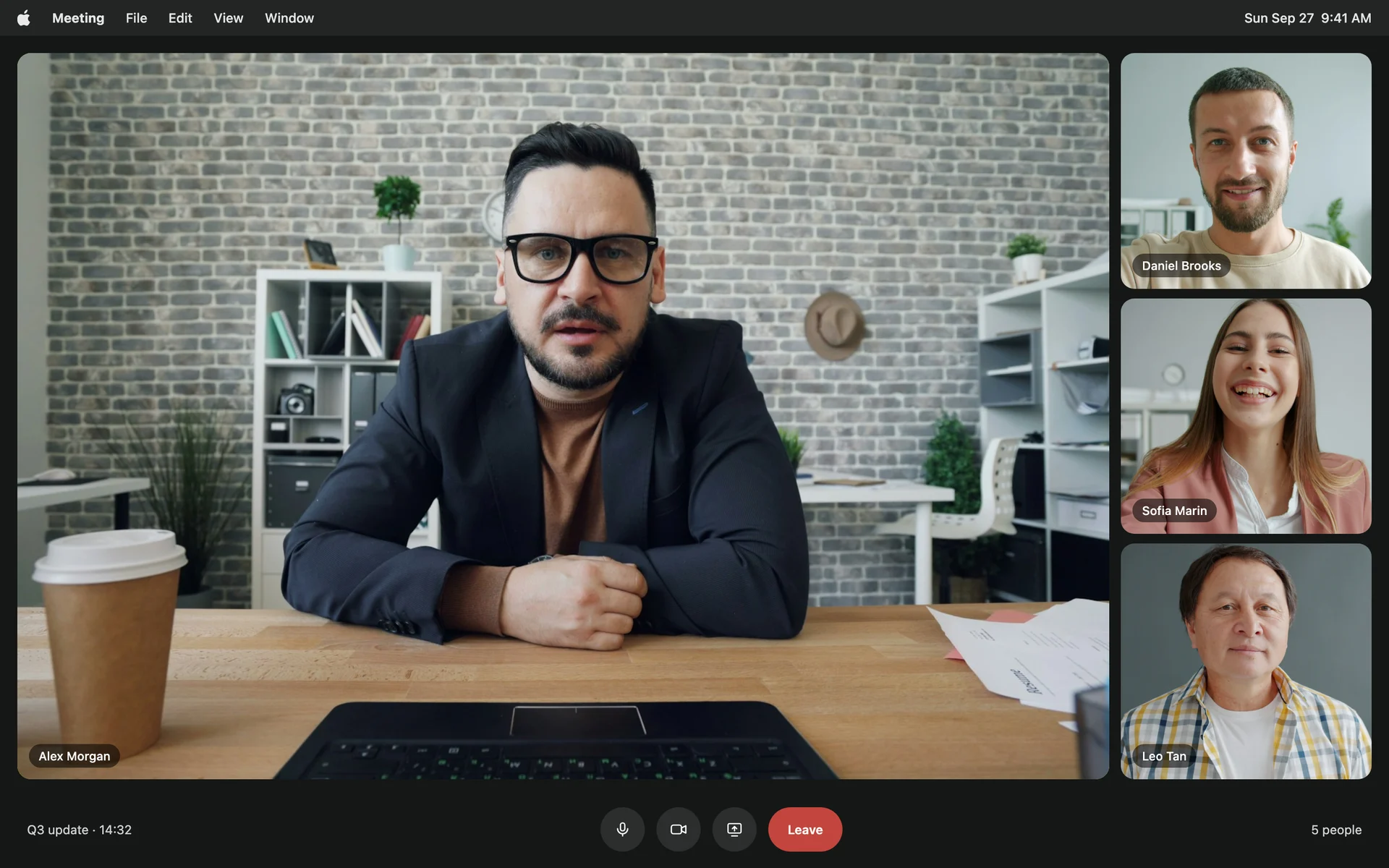
Avocado is left out of every screen share, recording and screenshot. Share your whole desktop on Zoom, Teams, Meet or OBS and stop thinking about it.
Your scripts stay on your machine and your voice is processed on it, with no account and no server in between. That also means no lag waiting on a connection, and it works just as well with the Wi-Fi switched off.
04
Never lose your place.
- Focus Guide
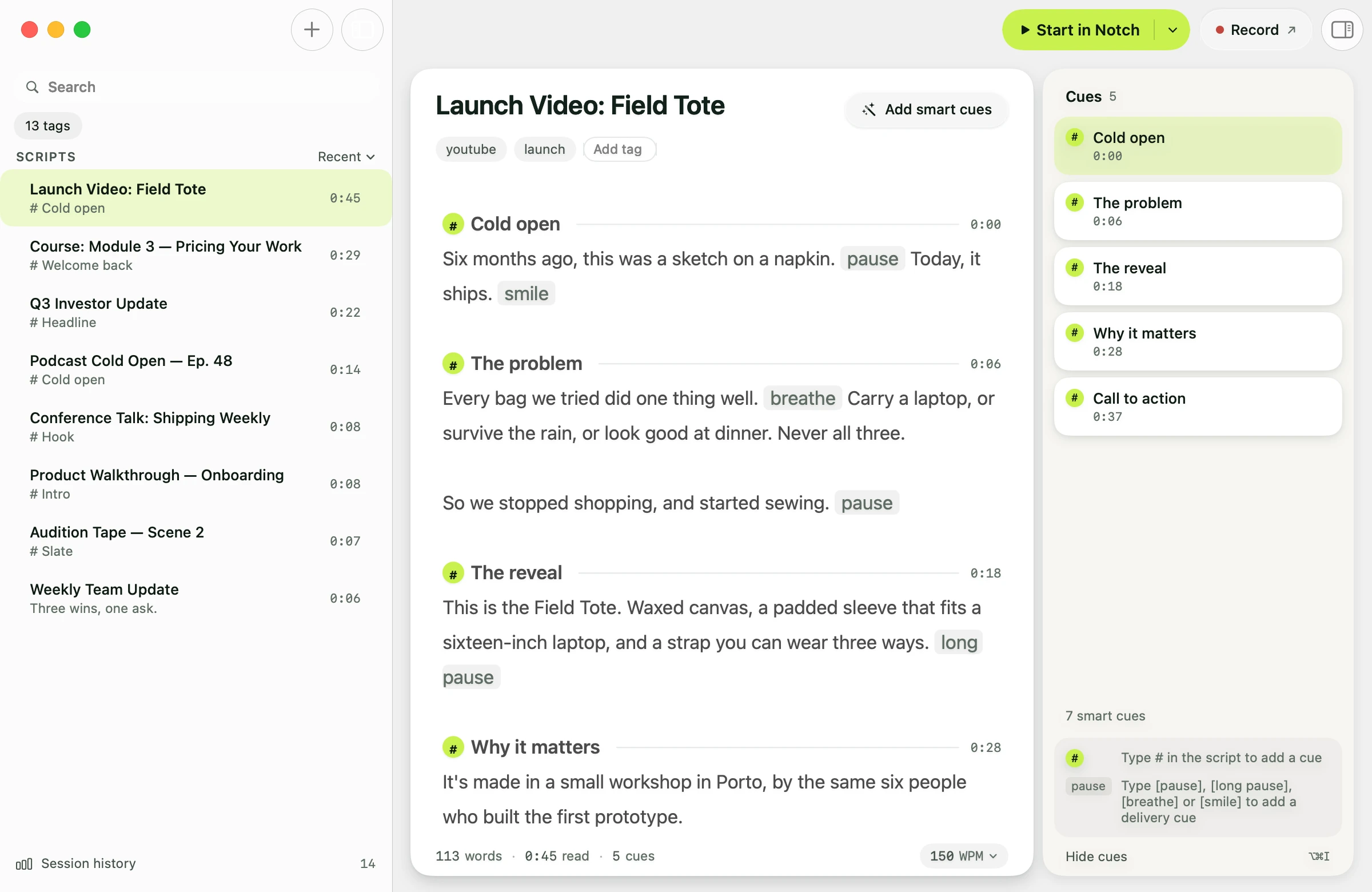
- Lines you've already read dim away, so the live line is always the brightest thing on screen.
- Script Markers
- Jump straight to any section mid-take. A PowerPoint deck becomes one marker per slide.
- AI Smart Cues
- Apple Intelligence reads ahead and marks where to pause, push or slow down, on your Mac.
05
When you're not the only one in the room.
- Director Mode
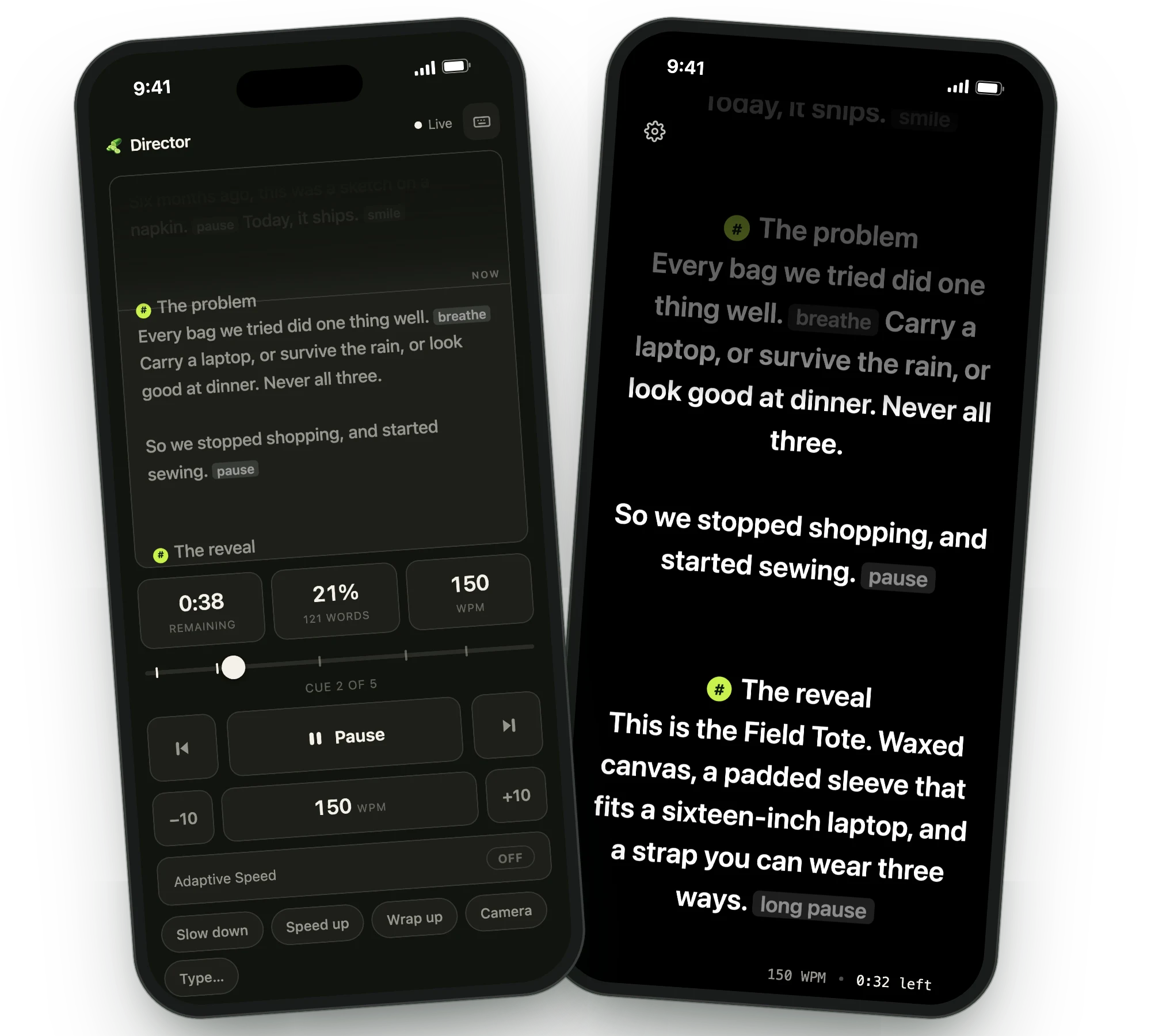
- A producer or co-host controls play, pause, speed and Script Markers live from their own phone or laptop.
- Teleprompter Viewer
- Cast the script to up to five devices at once, all scrolling in sync, driven by your Mac's microphone.
06
The take ends. The feedback doesn't.
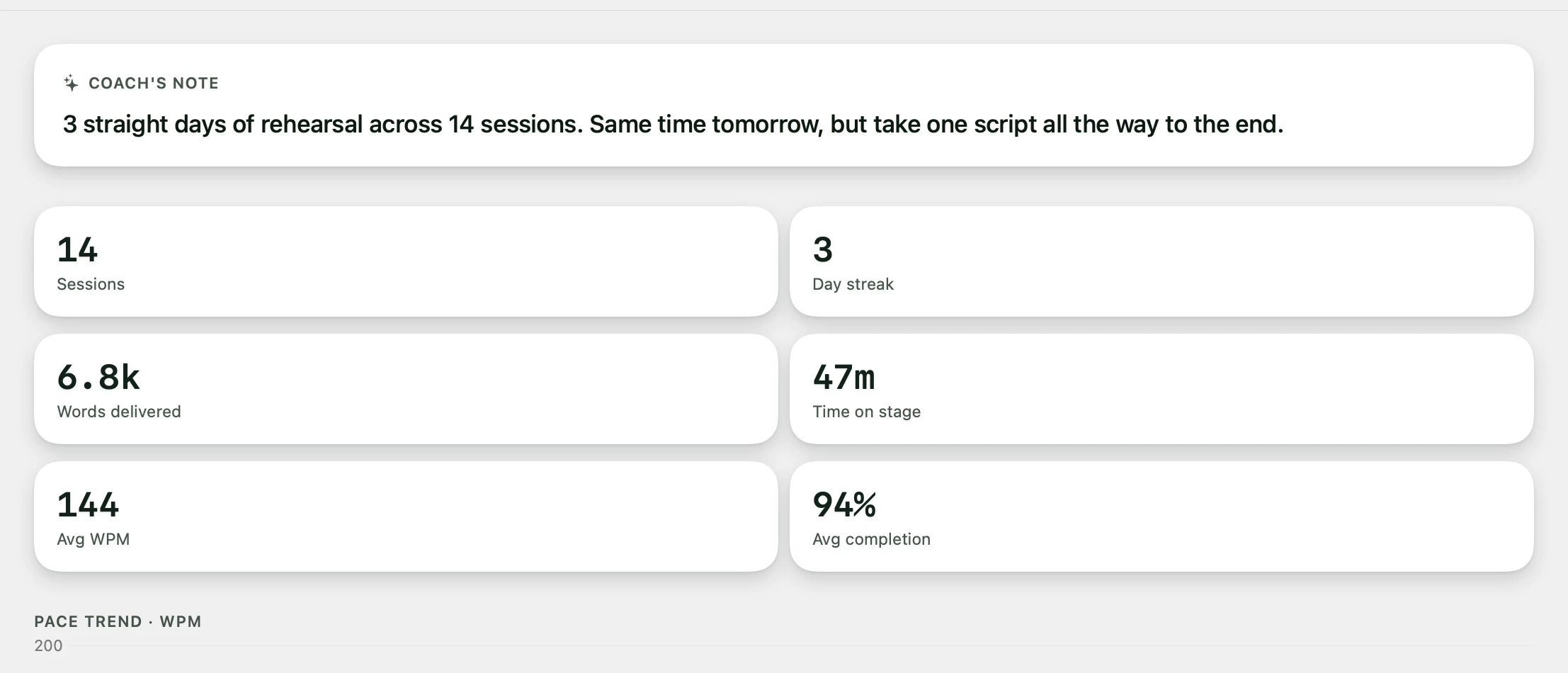
Every session closes with a report: your pace, how much of the script you got through, and where you sped up or stalled. Run the same script again and Avocado shows you the difference run over run.
A recap lands every Monday with your week on camera. Delivery Coaching goes further, breaking down the take on-device, so nothing about your rehearsal leaves the Mac.
Pro adds unlimited voice scrolling, AI agent access, Director Mode and the multi-device Viewer. Or start free: every week includes 3 Pro Passes, no card required.
Your next take starts under the lens.
Free for Mac. No account, no card.
