The teleprompter for Mac
Sound like you know it by heart.
Your script sits right under the camera, scrolls as you speak, and stays off every screen share.
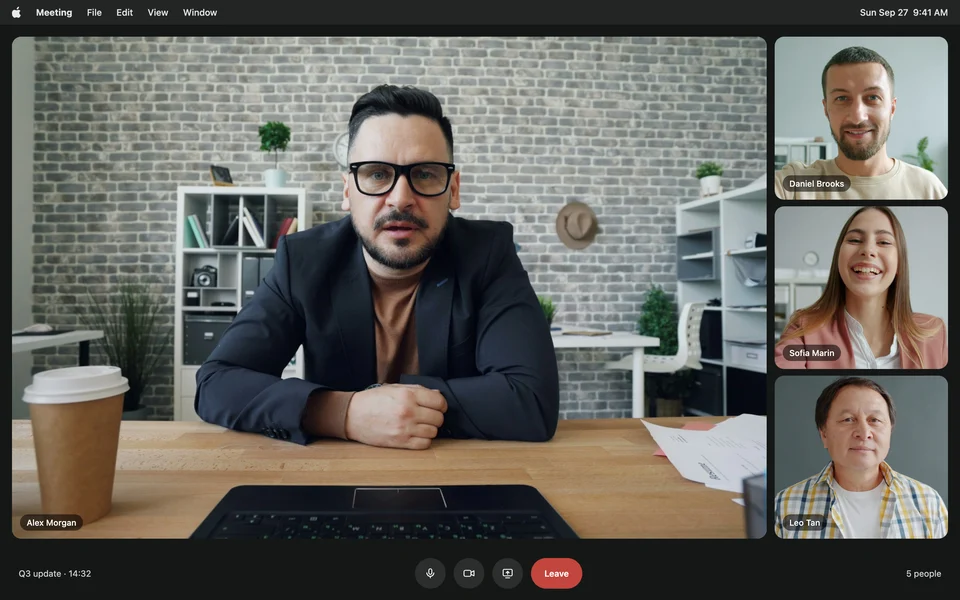
Left out of every screen share and recording: Zoom, Google Meet, Microsoft Teams, Loom, OBS, QuickTime, Keynote, and your screenshots.
Built for anyone who talks to a camera. Creators, teachers, founders and sales teams read from Avocado every day.
On camera with Avocado
10,000+
creators, and counting
 YouTube
 Zoom calls
 Online courses
 Sales demos
 Podcasts
 Self-tapes
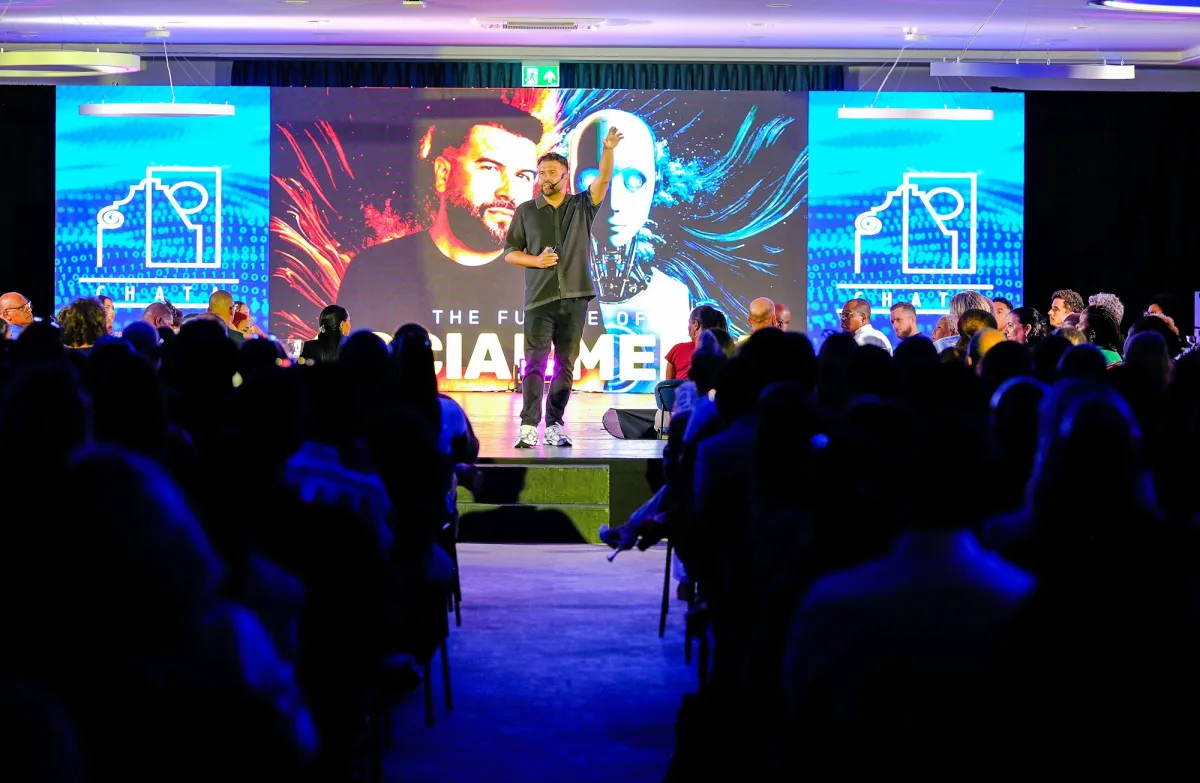 Conference talks
 Tutorials
Write it, read it, record it. One Mac app from the first draft to the final take.
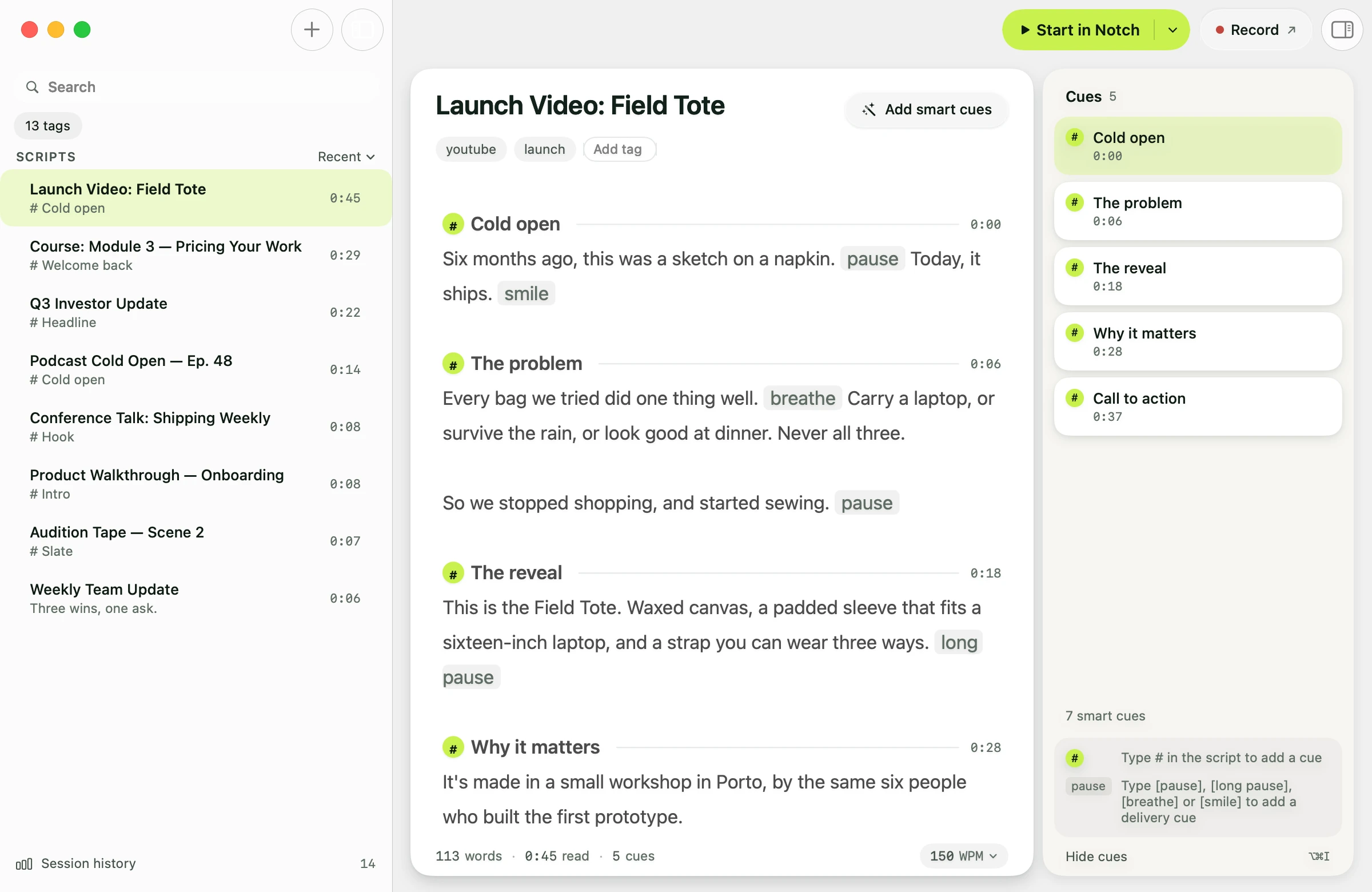
An editor that knows how long it runs. Mark sections with #, and every cue shows when you'll reach it at your pace.
Change the slide, and your notes follow. Present from Keynote or PowerPoint and the script keeps up.
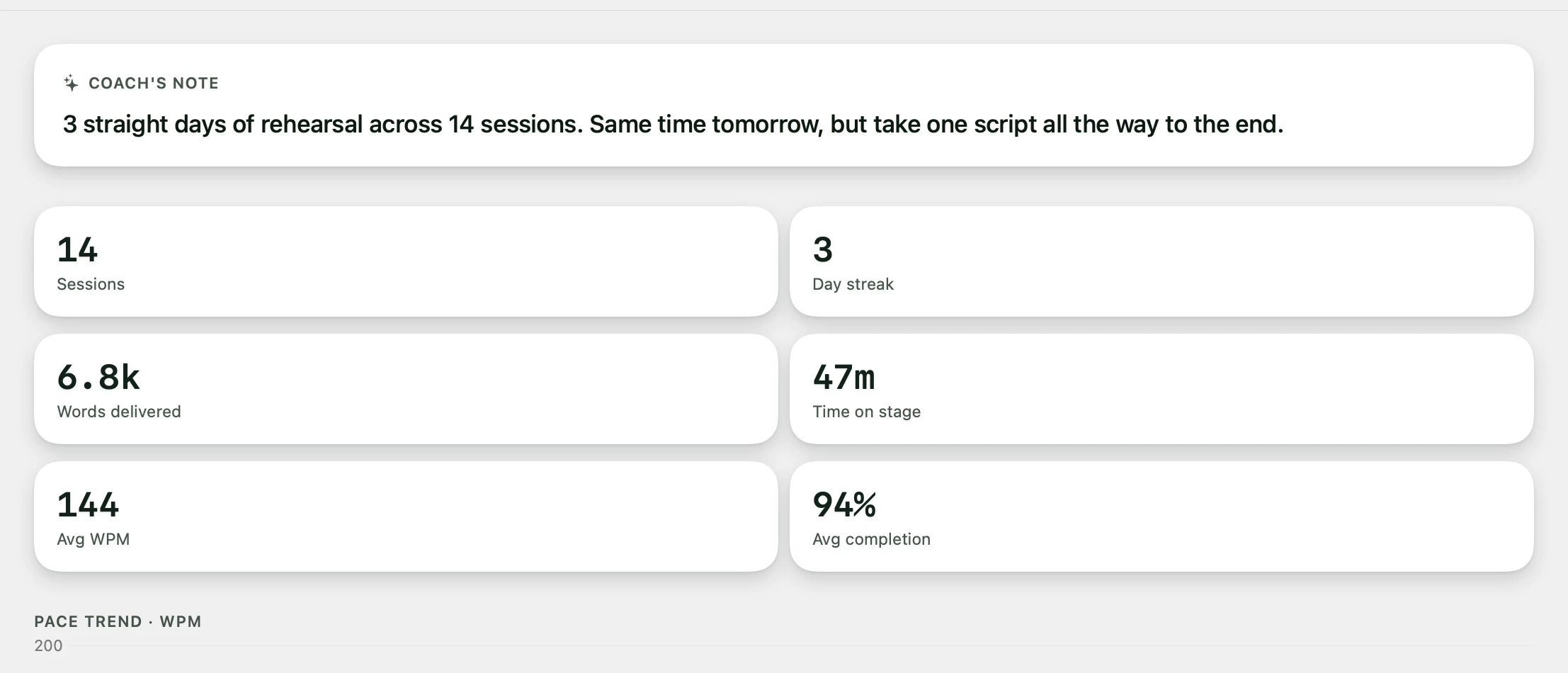
And the rest of the kit. Most of it free.
- Director ModeRun the prompter from your phone
- AI agentsWrite scripts from Claude, Cursor or Codex
- Smart CuesPauses and breaths, added on-device
- Mirror TextFor beam-splitter teleprompter rigs
Voice scrolling
ProIt moves when you speak. It waits when you pause.
Avocado listens as you read and keeps the next line where your eyes land. Stop to make a point and the script holds until you pick it up again. Speech recognition runs on your Mac.
Voice scrolling is part of Pro. Every free Mac gets 3 Pro sessions a week to use it on real takes.
Voice Labs
ProWord by word. Your next word is marked, and the script holds your place while you go off script.
An early look at where voice following is heading, for subscribers. For English scripts, with the speech model on your Mac.
More about Voice Labs →Recording Studio
ProRecord the take from your script. Captions light up every word, spelled the way you wrote it.
Avocado films you while the prompter runs and stops when you finish the script. Cut the pauses in a click, then export wide for YouTube, vertical for Shorts or square for LinkedIn.
Recording Studio is part of a Pro subscription. Captions are heard on your Mac and save as subtitles too.
How captions work →Now on iPhone and iPad
Take it on the road. The same script, right under your phone's camera, recording the take as you read.
Avocado for iPhone and iPad →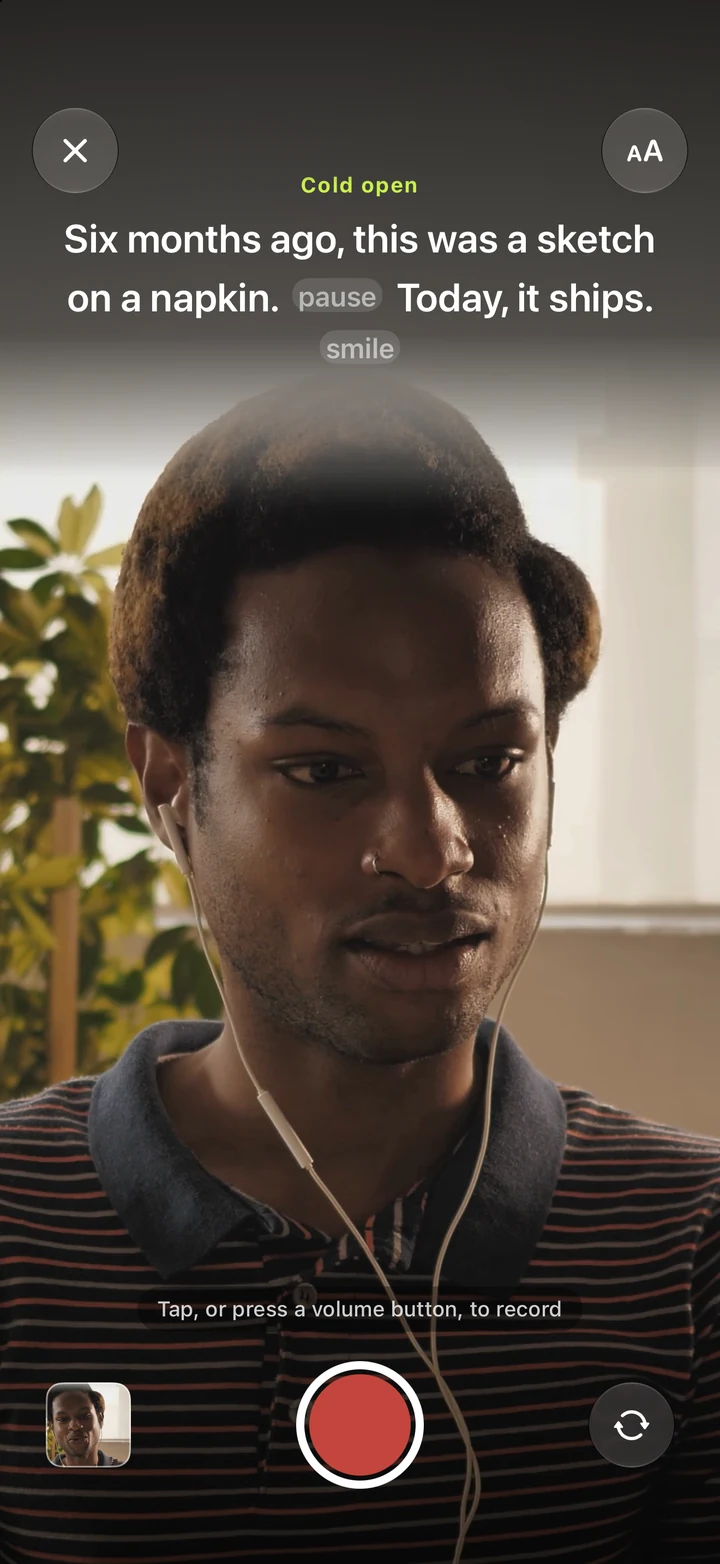
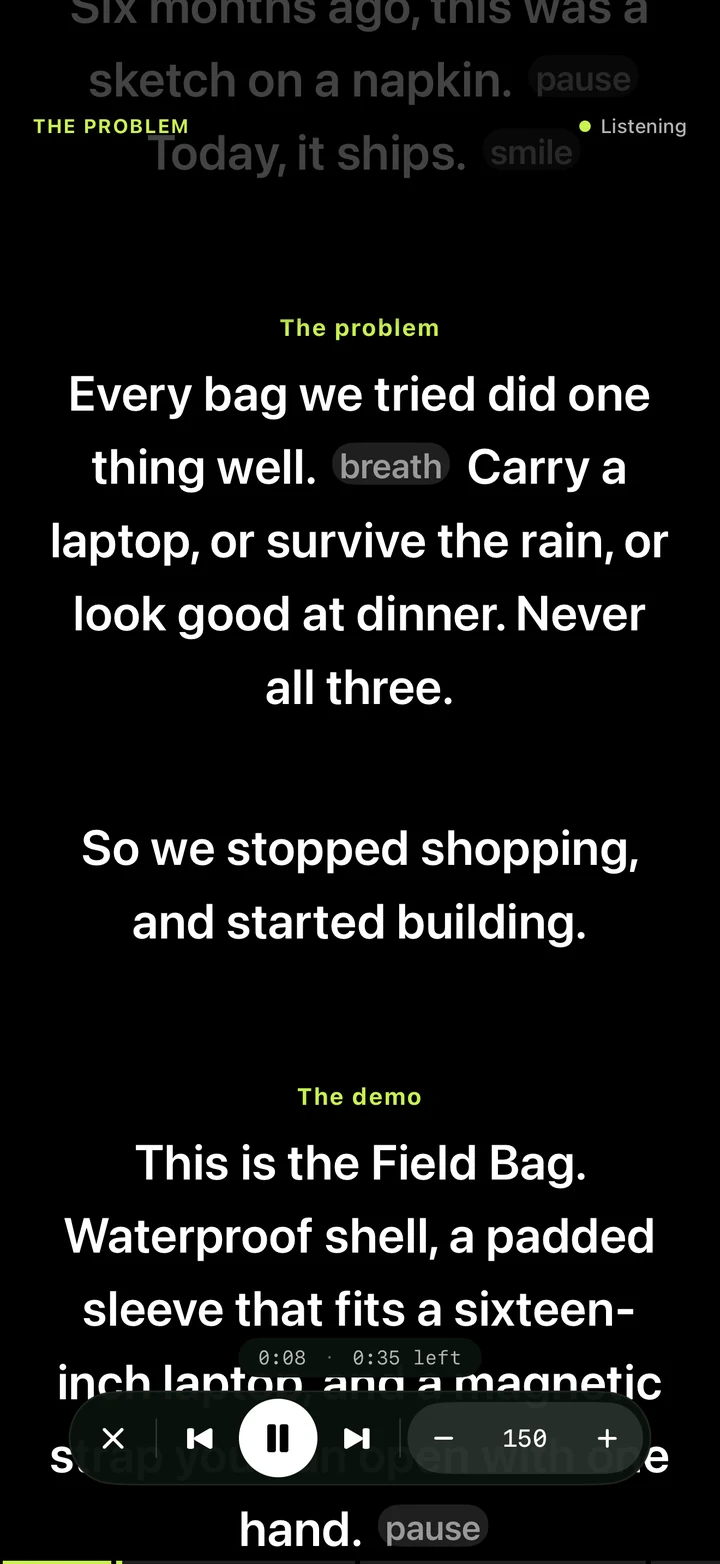
Your first take, two minutes from now. Three steps, all on your Mac.
- 01
Bring your script
Paste it, type it, or drop a PowerPoint, text or Markdown file onto the window. Speaker notes become the script.
- 02
Press ⌘1
The prompter opens in the notch, right under your camera. ⌘2 floats it anywhere else on screen.
- 03
Look at the lens and talk
It scrolls at your pace and stays off the recording. Hit record, open the call, or start the talk.
The whole teleprompter is free. Download it and read your next script today.
- Notch and floating prompter
- Hidden from screen shares and recordings
- Steady scrolling from 50 to 300 wpm
- Cues, markers and Focus Guide
- PowerPoint, text and Markdown import
Pro makes the prompter follow your voice, and adds the AI tools, Director Mode and remote viewers.
Every free Mac gets 3 Pro Passes a week, so you can try voice scrolling on a real take before you decide.
Compare plans →Questions people ask before they download.
Yes. The core Avocado experience is completely free — no credit card, no time limit. Notch Mode, Floating Mode, Script Markers, Focus Guide, PowerPoint import, and constant-speed scrolling at whatever pace you set — 50 to 300 WPM, adjustable mid-session with ⌘↑ and ⌘↓ — on scripts of any length are all included at no cost. Voice scrolling and adaptive speed are unlimited on Pro, and you get 3 full sessions of them every week for free.
Setting your own scroll speed is free — Pro is about never having to touch it. Unlimited voice-activated and adaptive scrolling lets the prompter follow your voice instead of a fixed number, and Pro adds AI Agent Access (write and edit scripts from Claude, Cursor or Codex), AI Smart Cues, Director Mode (control from any device), Teleprompter Viewer, Auto-Naming, Auto-Tag suggestions, mouse scroll, hide controls, and Follow Mouse across monitors. Monthly and yearly plans available.
Yes, with Pro. Avocado runs an MCP server on your Mac, so Claude Desktop, Claude Code, Cursor and Codex, OpenAI's coding agent, can write new scripts and rewrite, rename or tag the ones you have, right in your library. If you share your session history, they size a script to the pace you actually speak at. ChatGPT in a browser can't reach a server on your Mac, so for an OpenAI model connect Codex.
Yes. Avocado uses on-device Apple speech recognition to scroll the script precisely as you speak and pause when you stop — no cloud, no latency. It learns your natural reading pace in real time so you never need to touch a slider. Voice scrolling is unlimited on Avocado Pro, and the free plan includes 3 full sessions of it every week, so you can use it on real takes without paying.
Yes. While Notch mode is designed to blend into the MacBook camera notch for perfect eye contact, Floating mode lets you drag and resize the prompter window anywhere on screen. It works great on external monitors, studio displays, and older Macs without a notch.
Absolutely — Avocado is built for any on-camera moment. Solo YouTube videos, course recordings, Loom walkthroughs, podcast intros, audition tapes. Notch mode places your script directly below the lens so you maintain natural eye contact with the camera, and since Avocado is invisible to screen capture, it won't appear anywhere in your recording.
Yes, by default. Voice recognition, AI Smart Cues, and your scripts are all processed on your Mac using Apple frameworks — no cloud uploads, no account required, and it works offline. The one exception is something you switch on yourself: connect an AI assistant under Settings → AI Agents and the scripts you ask it about reach that assistant, the same as anything else you would send it.
No. Avocado is completely invisible during screen shares and recordings. Whether you're on Zoom, Google Meet, Microsoft Teams, recording a Loom walkthrough, or streaming through OBS, your teleprompter stays entirely hidden — it won't appear in screenshots or video captures either.
Yes. Drop any .pptx file anywhere in the Avocado editor window and it instantly extracts your presenter notes as a ready-to-read script. Each slide is automatically bookmarked with a Script Marker so you can jump between sections from the sidebar. Plain text and Markdown files work the same way, as does text dragged straight from another app, and dropping several files at once creates one script each. It's a free feature — no Pro license needed.
Your next take starts under the lens.
Free for Mac. No account, no card.
