Avocado for iPhone Duo
Made for iPhone Duo. A teleprompter built around its two screens and its hinge.
Folded, your script sits just under the cover camera, so your takes look like eye contact. Open, one half reads with you and the other runs the show. Open or close it mid-read and you stay on the same word.
Folded
Read at the lens. Even on the cover.
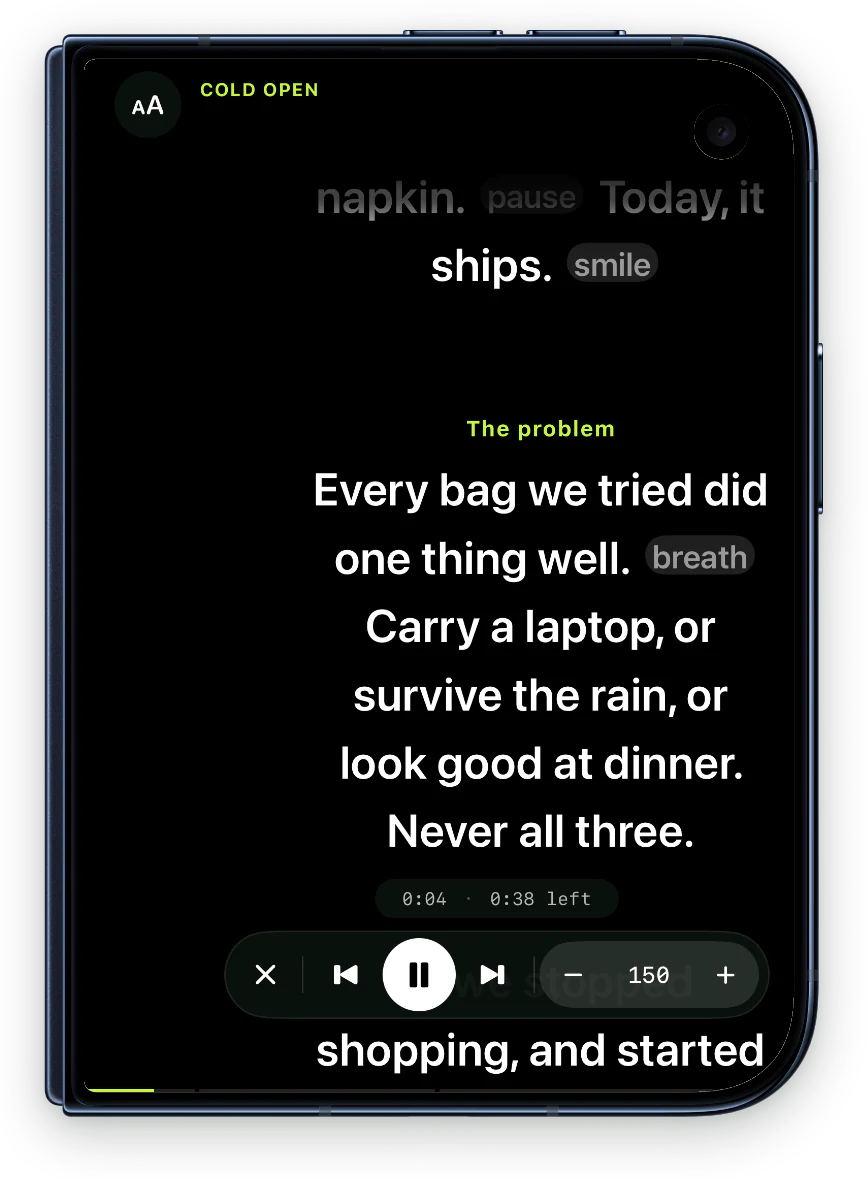
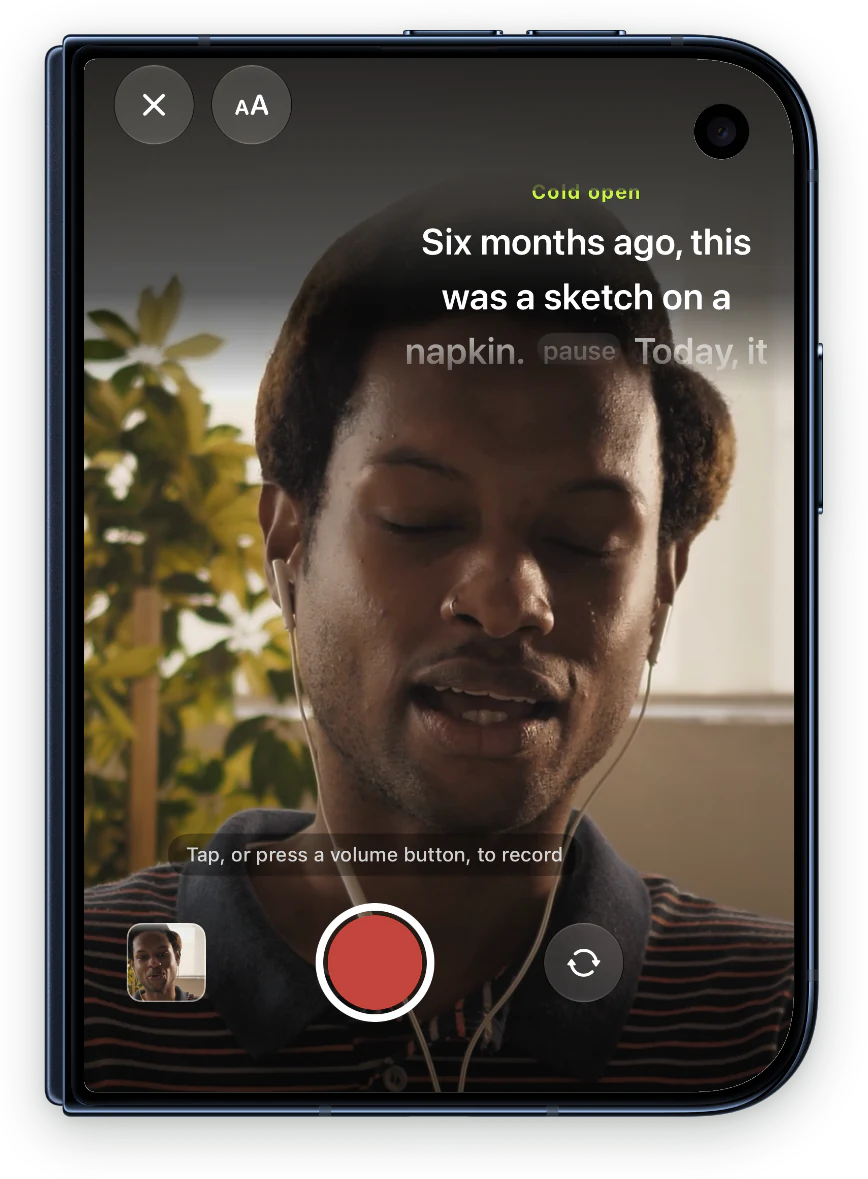
On the cover screen, Avocado moves your script toward the corner camera. The column sits as close under the lens as the screen edge allows, and the line you're reading stays one line below the camera. Lines you've read fade out before they reach it.
136 pt
from the line you're reading to the lens, down from about 205 in the standard layout. A third closer, so your takes look like eye contact.
Open
One half reads with you. The other runs the show.
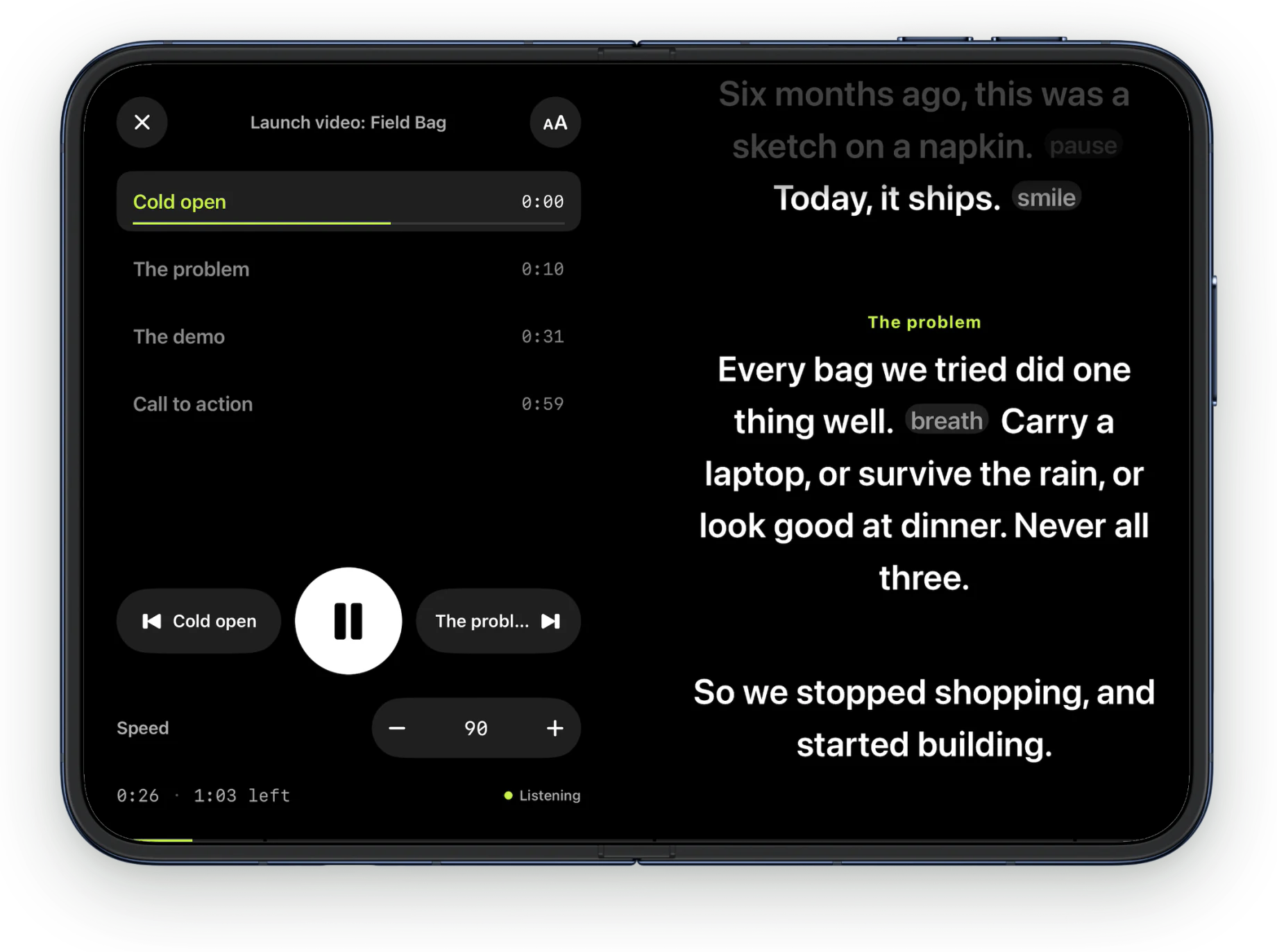
Open the phone and the half with the camera shows your script, about 34 characters a line. The other half becomes a deck for the read. Hold it like a book and nothing moves.
Every section, timed
Each section shows the time you'll reach it at your pace. Tap one to jump there.
Your cues, by name
Previous and next are named after your cues, so you know where a tap takes you.
The controls, large
A big play button, the speed, the time gone and left, and whether it's listening.
Out of your way
While the script runs, it dims to 38% after three seconds. Your current section and the time stay bright. Touch it and it's back.
Open or close it mid-read
Unfold mid-sentence. You stay on the same word.
Every word and control moves to its new place on native springs. The play button travels across the fold. The words re-set into the wider or narrower column, rippling out from the one you're reading, and the folding half dims with the hinge. Avocado keeps the exact word you were on.
With Reduce Motion on, it switches without the animation. Rotating the phone or pinching to resize the text keeps your word too, on every iPhone and iPad.
Laptop pose
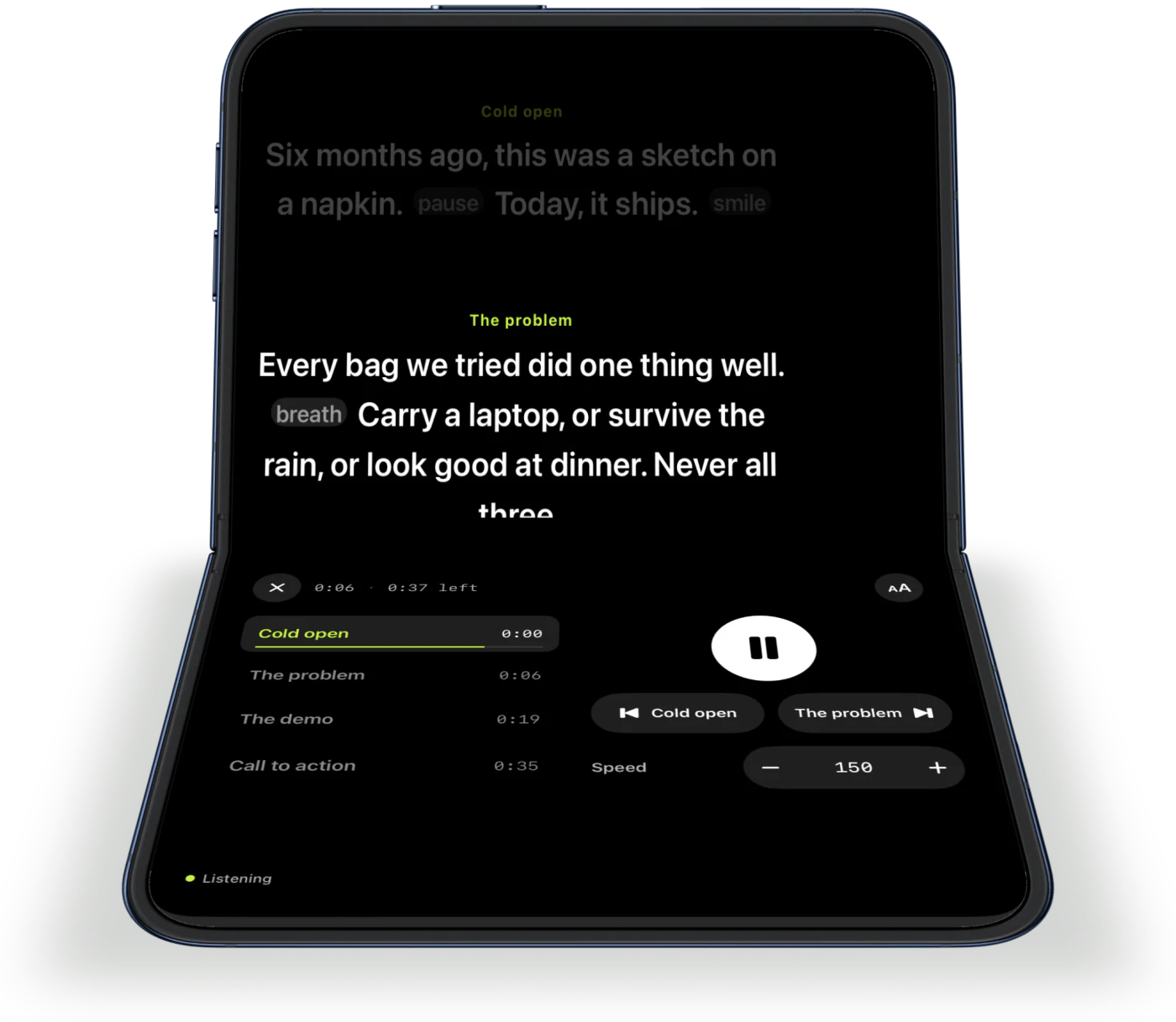
Stand it on the desk. Script up top, controls flat.
Half-fold the phone and stand it up like a small laptop. The script reads on the upright half, and the controls spread out wide on the half on the desk. If the camera's half is the one lying flat, Avocado tells you to turn the phone round.
Record a take
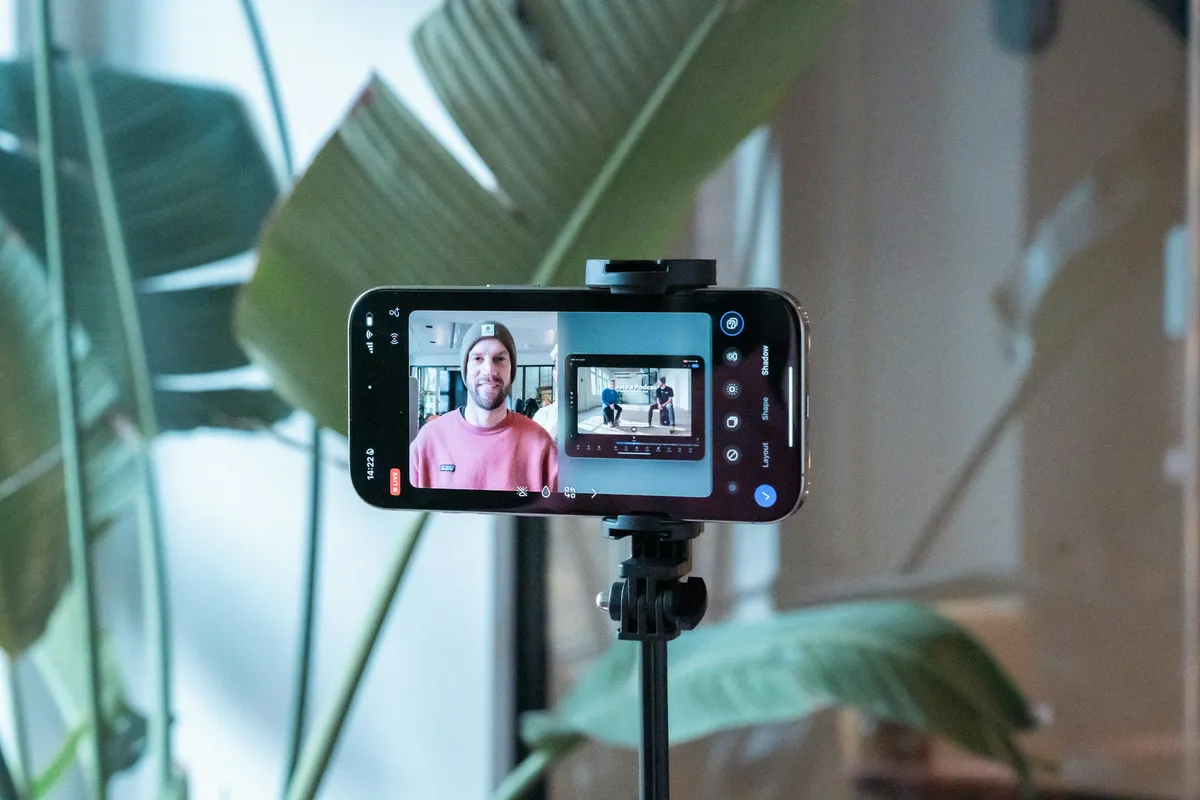
ProFilm at the lens. Watch the take beside your script.
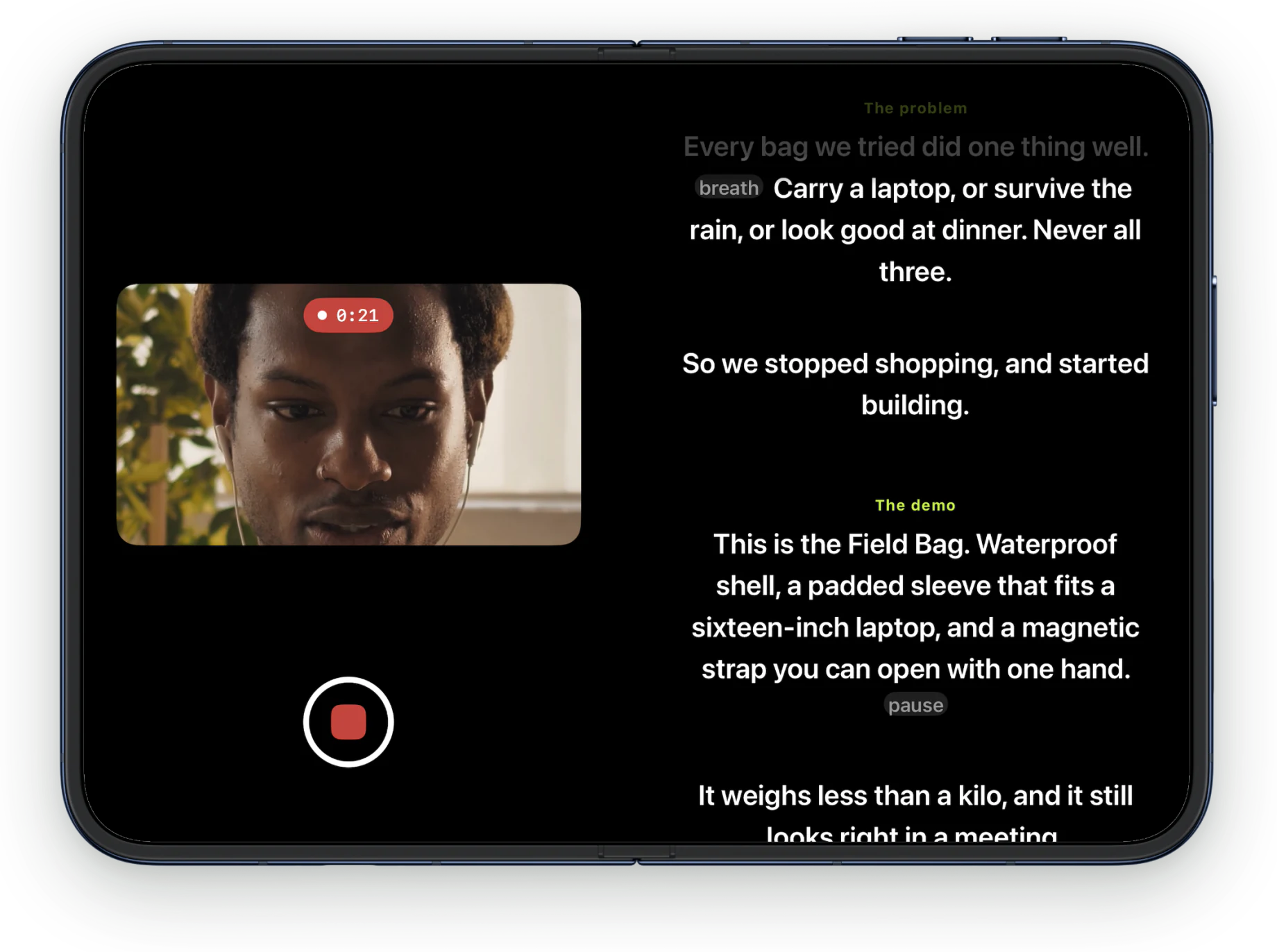
Folded, the script sits in a band right under the camera while you film. Open, the live take sits on one half and your script on the other. Turn on captions and they're timed word by word, spelled from your script, and burned into the take you save.
Everything else works on both screens.
Avocado on every iPhone and iPadVoice following
ProThe script moves as you speak and holds when you pause.
Adaptive Speed
ProIt learns your pace and keeps it for each language.
Captions
ProThey light up word by word, spelled from your script so names come out right. Burned into the take, or shared as subtitles.
Smart Cues and Tighten
ProApple Intelligence places pauses and breaths. Tighten cuts filler.
Cues and delivery marks
Start a line with # to make a cue. Add [pause] or [breathe] for a beat.
Mirror Text
Flip the script for a beam-splitter rig.
Apple Watch remote
Play, pause and jump between cues from your wrist.
Siri and Shortcuts
Start the prompter, record a take or begin a new script with Siri or a Shortcut. Recording needs Pro.
The demo
See it in 40 seconds. Folded, open, recording, and back again.
Free on iPhone Duo. Pro when you want the script to listen.
- The prompter folded, open and in laptop pose
- A steady scroll at any speed from 50 to 300 wpm
- The deck: sections, times, cues and speed
- Your place kept when you open or close it
- Cues, delivery marks and Mirror Text
- The Apple Watch remote
Voice following, Adaptive Speed, recording with captions, and Apple Intelligence.
One subscription covers your iPhone and iPad. Subscribe in the app.
Questions about Avocado on iPhone Duo.
Yes. Avocado 1.3 is made for iPhone Duo, with layouts for the cover screen, the open phone and the laptop pose. It needs iOS 27.1, which iPhone Duo ships with. It's the same free app as on other iPhones and iPad.
In a column just under the cover screen's corner camera, with the line you're reading one line below the lens: about 136 points from it, against about 205 in the standard layout, so your takes look like eye contact. Lines you've already read fade out before they reach the camera.
The half with the camera shows your script, about 34 characters a line. The other half is a deck: every section with the time you'll reach it at your pace, previous and next named after your cues, a big play button, the speed, the time gone and left, and whether it's listening. It dims while you read and comes back at a touch.
You stay on the same word. The words and controls move to their new places as the phone opens or closes, and the prompter carries on from the word you were reading. With Reduce Motion on, it switches without the animation.
Yes. Half-fold it and stand it up like a small laptop. The script reads on the upright half and the controls spread out on the half on the desk. If the camera's half is the one lying flat, Avocado tells you to turn the phone round.
Yes. The prompter on the cover, open and in laptop pose is free, scrolling at a steady speed you set. Pro adds voice following, Adaptive Speed, recording with captions and take cleanup, and Apple Intelligence. One subscription covers your iPhone and iPad.
No. Voice following uses Apple's SpeechAnalyzer on the device, tuned with a language model built from your script, and it times captions word by word. Smart Cues and Tighten use Apple's on-device Foundation Models, and scanning a printed script uses Apple's Vision. Speech and AI run on the phone, so your words stay on it.
Yes. It's one app for iPhone and iPad with iOS 17 or later, with an Apple Watch remote. On any of them, Avocado keeps your word when you rotate the phone or pinch to resize the text.
Your next take starts on both screens.
Free for iPhone and iPad. No account, no card.