Works further back than macOS 15
Textream requires macOS 15 or newer. Avocado runs on macOS 14 Sonoma and up, so it covers Macs that haven't been updated — and Floating Mode means it works on machines with no notch at all.
Compare · vs. Textream
Textream is a free, Dynamic Island-inspired prompter for macOS 15 and newer. Both are free to start, so the comparison is about depth rather than price.
| Feature | Avocado | Textream |
|---|---|---|
| Pricing | Free · $7.99/mo · $79.99/yr | Free, open source (MIT) |
| Notch placement | Free | Yes |
| Invisible on screen shares | Free | Yes |
| Voice-activated scrolling | Pro · 3 free sessions a week | Yes |
| Adaptive speed | Pro · 3 free sessions a week | No |
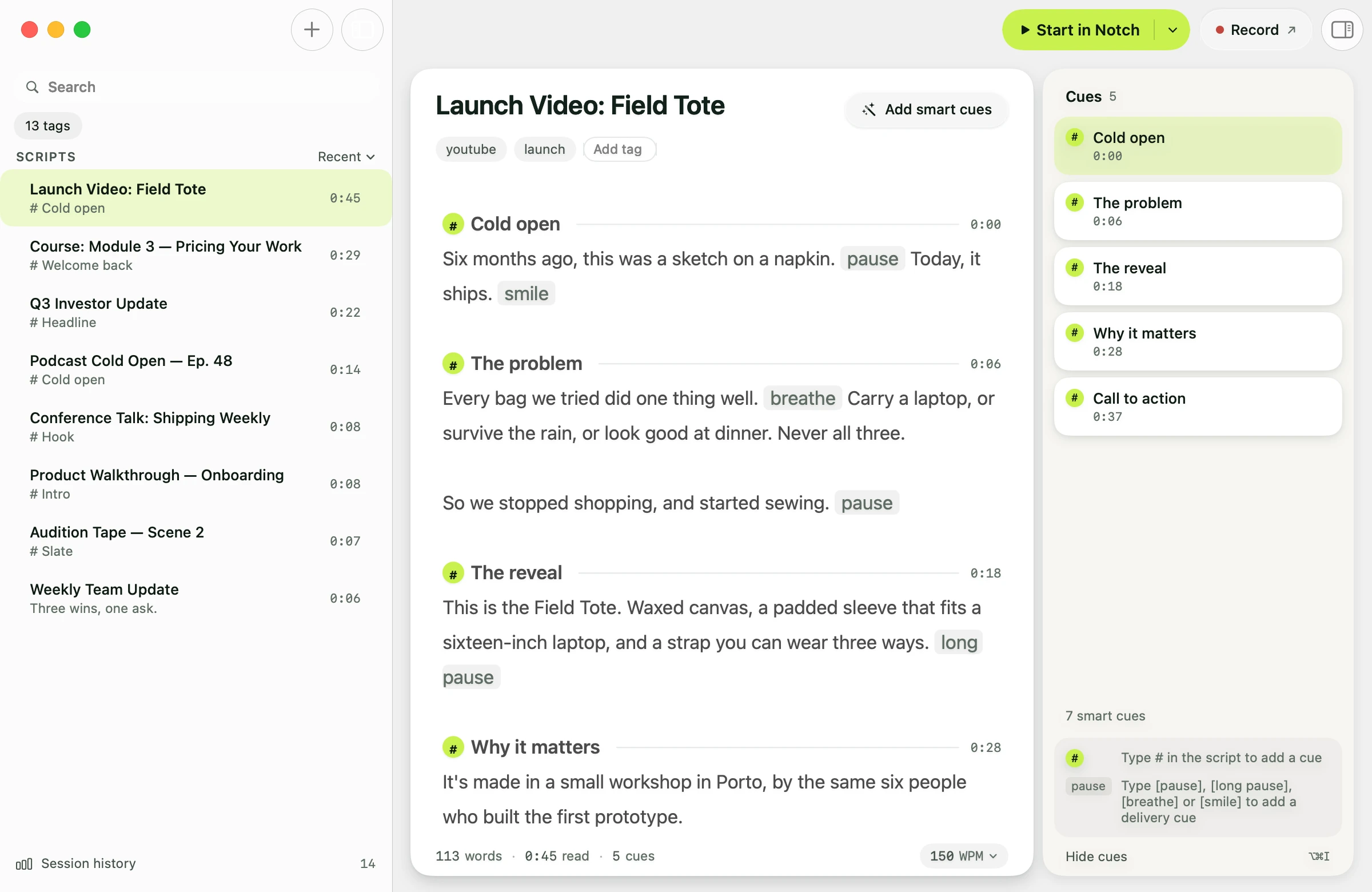
| Script library, tags & search | Free | No |
| Records & trims takes | Pro | No |
| AI Smart Cues (Apple Intelligence) | Pro | No |
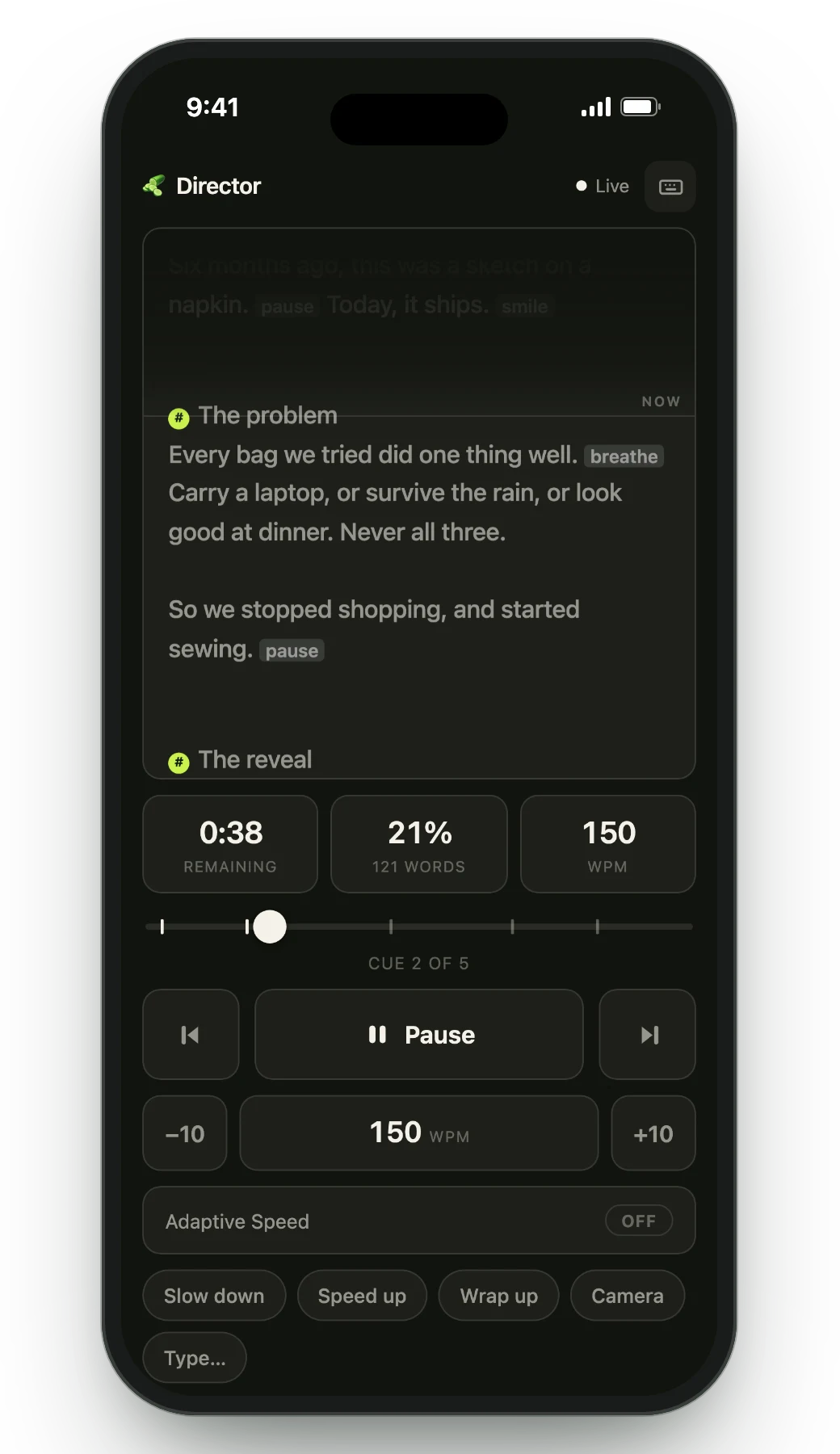
| Remote control by a second person | Pro | Director mode, browser remote |
| Prompt on up to 5 devices | Pro | Browser view, iPad Sidecar |
| Rehearsal history & coaching | Receipts free · full history Pro | No |
Textream requires macOS 15 or newer. Avocado runs on macOS 14 Sonoma and up, so it covers Macs that haven't been updated — and Floating Mode means it works on machines with no notch at all.
Tags, search, markers you can jump between mid-take, and PowerPoint import that builds a marker per slide. The parts you touch every session rather than the one-off setup.
Avocado learns your natural pace and adjusts the scroll in real time. On Pro, Apple Intelligence marks where to pause and where to push, entirely on-device.
Textream has its own director mode, a browser remote and iPad Sidecar, so on remote control the two are close. Where Avocado goes further is after the read: Recording Studio (Pro) films the take while the prompter runs, stops at your last line and trims the pauses before export.
An honest take
Textream is free and looks good doing the basics. If you're on macOS 15+ and want the simplest possible prompter, it will serve. Avocado's free tier costs the same nothing while adding the script library, adaptive speed and rehearsal history — with Pro only needed for multi-device and Smart Cues.
Both are free to start. Textream is free outright. Avocado has a permanent free tier — unlimited constant-speed scrolling, notch and floating modes, invisibility, Focus Guide, Script Markers and PowerPoint import — with an optional Pro subscription for unlimited voice scrolling, Smart Cues, Director Mode and the Viewer.
Textream requires macOS 15 or newer. Avocado runs on macOS 14 Sonoma and later.
Yes. Both use the macOS window flag that excludes an app from screen-capture APIs, so neither appears on Zoom, Meet, Teams, OBS or in screenshots.
Avocado, because of Script Markers, the searchable library and the Focus Guide. Constant-speed scrolling is unlimited on the free tier; voice-activated scrolling is Pro, with three voice-scrolling sessions a week included free.
Free for Mac. No account, no card.
