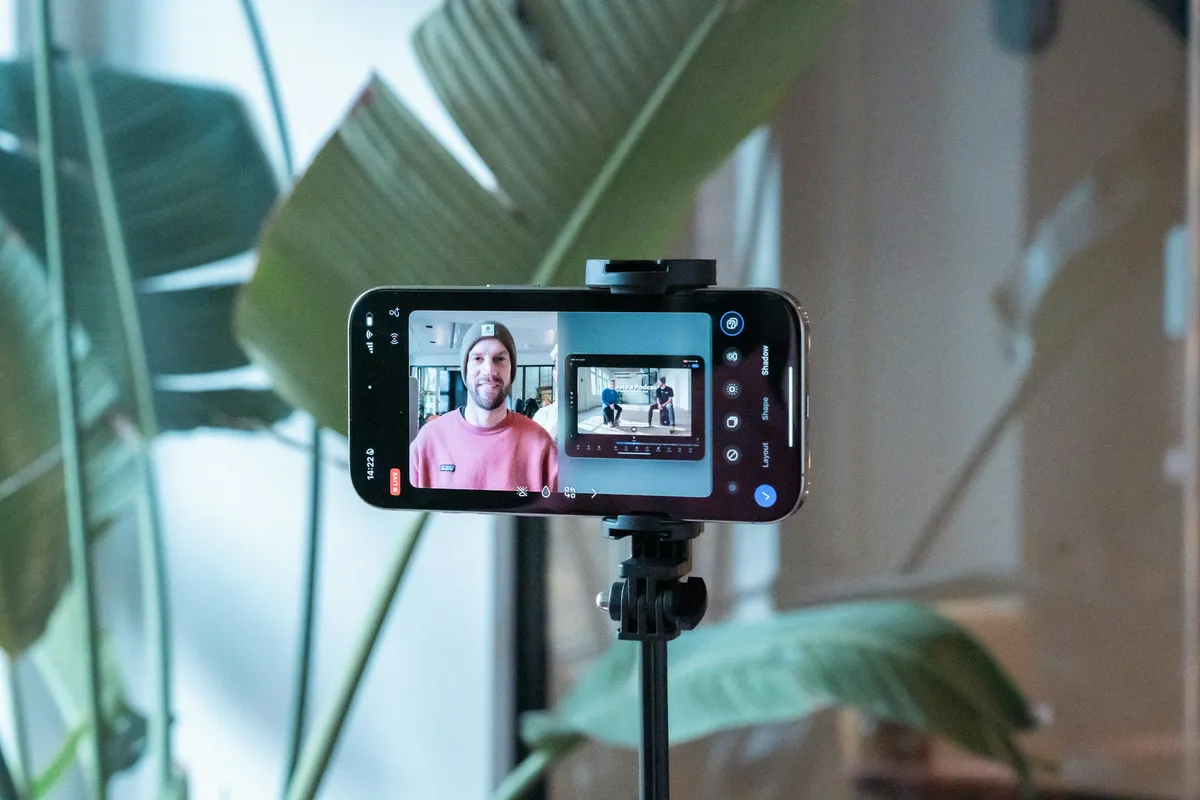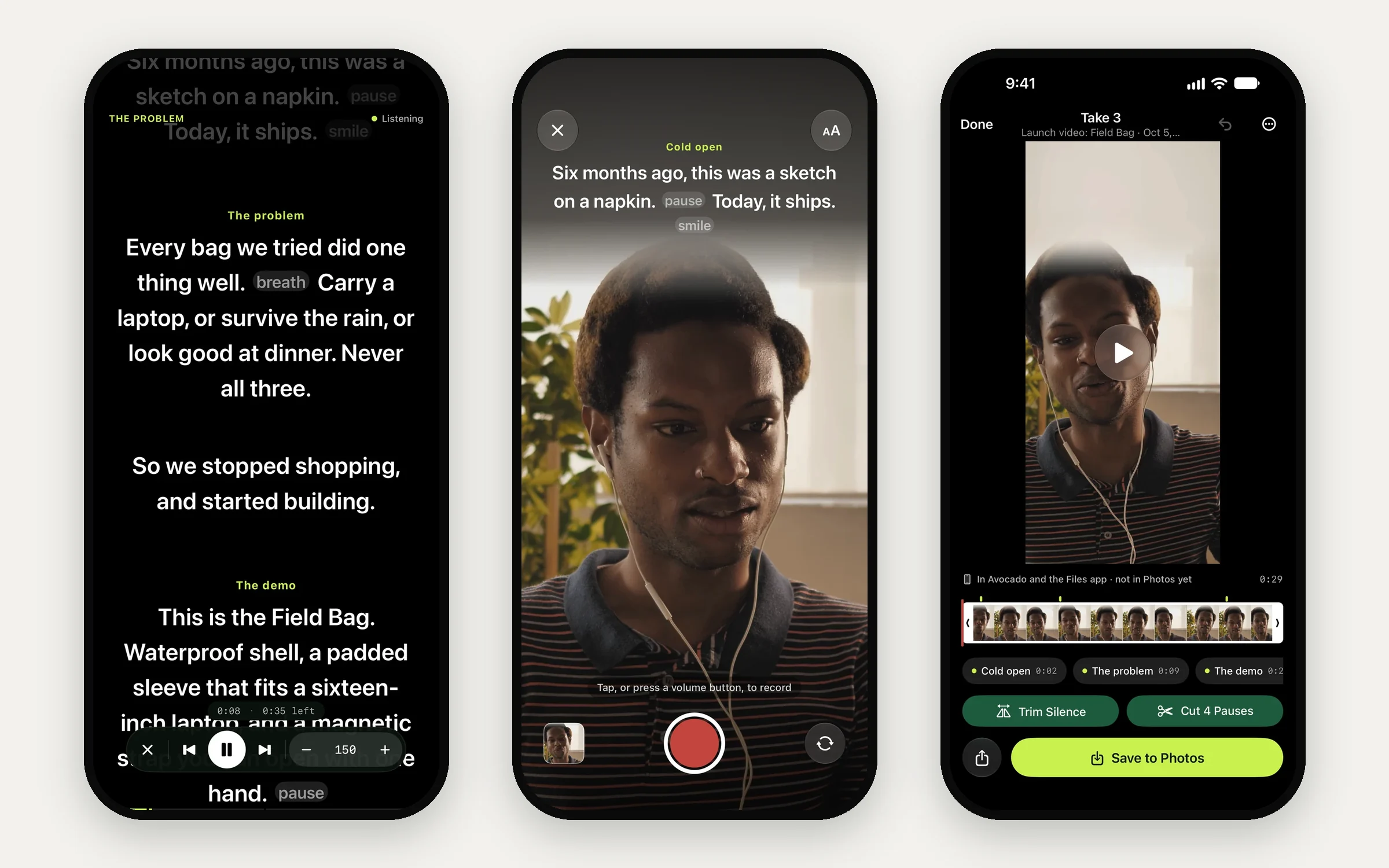
A phone is already the camera most people record with, so the teleprompter belongs on it too. Every app here puts the script near the front camera and records you while you read. What separates them is everything else: whether the words follow your voice, how much you get for free, what a year costs, and how quickly you go from a take to a clip you can post.
A note before we start: we make Avocado, one of the apps below. Weigh our verdict with that in mind. Everything we say about the other apps comes from their App Store listings and their own sites, and the table says when each was checked.
The Short List
- Best overall: Avocado. The script sits right under the front camera and follows your voice, entirely on your iPhone. It records the take, stops a beat after your last line, and cuts the pauses in one tap. The free version has no watermark and no time limit, and the Apple Watch remote is free too.
- If you already prompt on a Mac: Avocado again. The same app runs in the MacBook notch, and its Director Mode turns any phone or tablet into a second screen for the Mac.
- Also compared: Teleprompter Pro, Teleprompter.com, PromptSmart Pro and BIGVU, below.
What Matters in an iPhone Teleprompter
1. Where the words sit
Viewers read a glance as eye contact when you look up to about 5° below the lens, and notice almost any sideways look. On a phone at arm's length, that gives you a band of a few centimetres right under the front camera. Text in the middle of the screen pulls your eyes down far enough to show. (Here's why the direction matters so much.)
Avocado keeps the line you're reading in that band, dims the lines you've already read so your eyes land on the right word, and lets you move the text to the middle of the screen when an iPad stands further away.
2. Whether it follows your voice
A fixed scroll speed is the reason most teleprompter takes sound read. You slow down for a hard sentence, the text keeps going, and you chase it. Voice following fixes that: the script moves while you speak and holds when you stop.
Avocado listens as you read and keeps the next line at your eye line. Adaptive Speed learns your natural pace and remembers it for each language, so the text glides with you rather than jumping line to line. Speech recognition runs on the iPhone, so your voice never leaves it and it works offline. Teleprompter.com (VoiceGlide) and PromptSmart Pro (VoiceTrack) follow your voice too. Teleprompter Pro's listing doesn't mention voice scrolling: it scrolls at a speed you set, or under a remote.
3. What happens after the take
Every app here records. The question is how much work is left afterwards. In Avocado, the volume buttons or the Camera Control start a take, and the take stops on its own a beat after your last line. Trim Silence and Cut Pauses tidy it in one tap, your cues are stamped on the timeline so you can jump to a section, and it saves to Photos with every edit kept until you change your mind. Teleprompter.com adds trimming, intros and outros. BIGVU goes furthest into editing, with captions, branded themes and AI clips, and is priced like an editor.
4. What free really means
- Avocado: the prompter at any speed from 50 to 300 words a minute, cues you jump between, delivery marks like [pause] and [breathe], Mirror Text, import from text, Markdown and RTF, page scanning, your whole library, Bluetooth page turners and the Apple Watch remote. No watermark, because recording is part of Pro rather than a stamped trial of it.
- Teleprompter Pro: unlimited scripts, recording and cloud sync. Imports from Word and PDF, advanced remotes and the clean feed for a hardware prompter need Pro.
- Teleprompter.com: free to start, with a watermark on recordings until you subscribe.
- PromptSmart Pro: no free version. It's $29.99 up front, with an optional $34.99 Extended upgrade.
- BIGVU: free to download, with plans from $24.99 a month.
5. What a year costs
Avocado Pro is $79.99 a year or $7.99 a month, and one App Store subscription covers Avocado on iPhone, iPad and Mac with the same Apple Account. Teleprompter Pro is $59.99 a year or $159.99 once. Teleprompter.com lists subscriptions from $4.99 a week to $89.99 a year. BIGVU's Pro plan is $139.99 a year. For a single project, a month of Avocado Pro at $7.99 gets you voice following, recording and Apple Intelligence, and you can cancel when the video is done. The free version stays yours.
Using an iPad as a Teleprompter
An iPad gives you a bigger script at a longer distance, and there are three ways to use one.
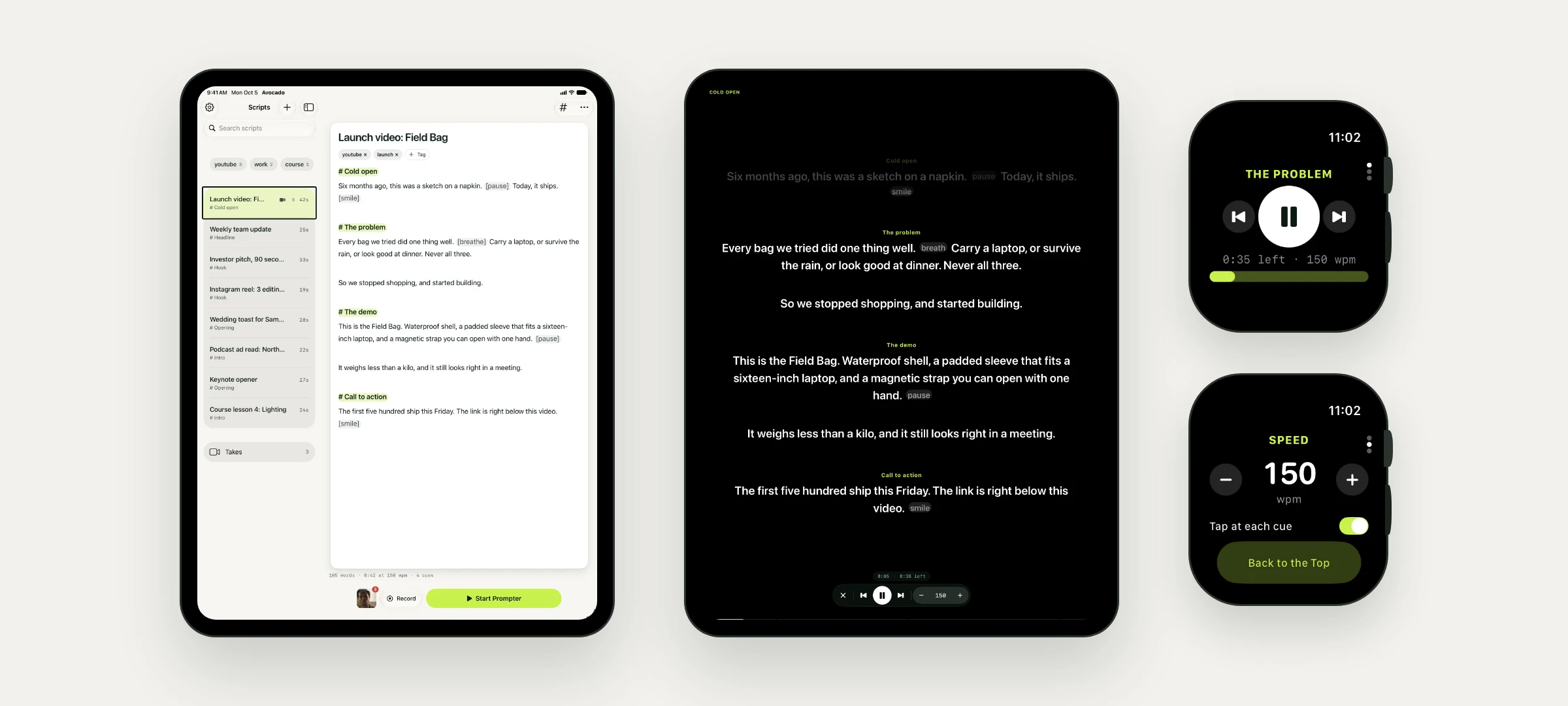
- On a stand, as the camera. Avocado on iPad fills the screen with the script and keeps your library in a sidebar. Move the text to the middle of the screen if the iPad stands a few feet away.
- Under the glass of a teleprompter rig. Turn on Mirror Text so the script reads correctly in the reflection, and run it with a Bluetooth page turner or an Apple Watch. Here's how to build a rig, and how to drive an Elgato Prompter from a Mac instead.
- As a screen for your Mac. If the script lives on your Mac, Avocado's Teleprompter Viewer shows it on the iPad's browser, scrolling in step with the Mac and following your voice through the Mac's microphone. Up to five phones and tablets can join at once.
The Apps, One by One
Avocado (free, Pro $7.99/mo or $79.99/yr, iOS 17+). The script sits right under the front camera in big, clear text, and on Pro it follows your voice and learns your pace, all on the device. It records the take with the script on screen, stops when you finish, and cleans up the silence and long pauses in one tap. Start a line with # to make a cue you can jump to mid-read, add [pause] or [breathe] where you need a beat, or let Smart Cues place them with Apple Intelligence without changing a word. Tighten cuts filler and shortens long sentences. The Apple Watch app runs the prompter and the recorder from your wrist and taps you at each cue, and Siri and Shortcuts can start a take. It's the same app as the Mac teleprompter that sits in the MacBook notch, with one subscription for both. Get it on the App Store.
Teleprompter Pro (free, $59.99/yr or $159.99 once, iOS 16+). Formerly Teleprompter Premium, and one of the longest-running apps here. It has a generous free version with recording and cloud sync, and its Pro tier is built around hardware: a clean feed over HDMI or AirPlay, keyboards, game controllers and handheld remotes. Its listing doesn't mention voice scrolling. Avocado vs Teleprompter Pro →
Teleprompter.com (free, subscriptions from $4.99/wk to $89.99/yr, iOS 15+). Voice scrolling, recording with trimming, intros and outros, subtitles, and a second device as a remote or display. The free version watermarks recordings. Avocado vs Teleprompter.com →
PromptSmart Pro ($29.99, optional $34.99 Extended, iOS 16+). One of the first apps to follow your voice, with its patented VoiceTrack, plus imports from Drive, OneDrive, Box and Dropbox and a Selfie Mode that records while you read. There's no free version.
BIGVU (free, plans from $24.99/mo, iOS 16.6+). A video studio with a teleprompter inside: captions, branded themes, background replacement and AI clips. The download is 1.6 GB, and the prices are an editor's prices.
CapCut's camera also has a basic teleprompter, which is handy if you edit in CapCut anyway. It's a feature of an editor rather than a prompter in its own right.