Thu Feb 19 8:40 PM

Welcome to Avocado. smile

The stealthiest teleprompter

ever created for macOS.

It remains completely invisible

when sharing your screen on Zoom. pause

Nail every presentation while

maintaining perfect eye contact. breathe

Avocado listens as you speak,

automatically scrolling text

to match your natural rhythm. pause

No subscriptions. No monthly fees.

Just a straightforward one-off purchase.

Customize the font, size, and color

or detach it into Floating Mode. smile

Start reading beautifully today.

Keep scrolling to see more... long pause

Welcome to Avocado. smile

The stealthiest teleprompter

ever created for macOS.

It remains completely invisible

when sharing your screen on Zoom. pause

Nail every presentation while

maintaining perfect eye contact. breathe

Avocado listens as you speak,

automatically scrolling text

to match your natural rhythm. pause

No subscriptions. No monthly fees.

Just a straightforward one-off purchase.

Customize the font, size, and color

or detach it into Floating Mode. smile

Start reading beautifully today.

Keep scrolling to see more... long pause

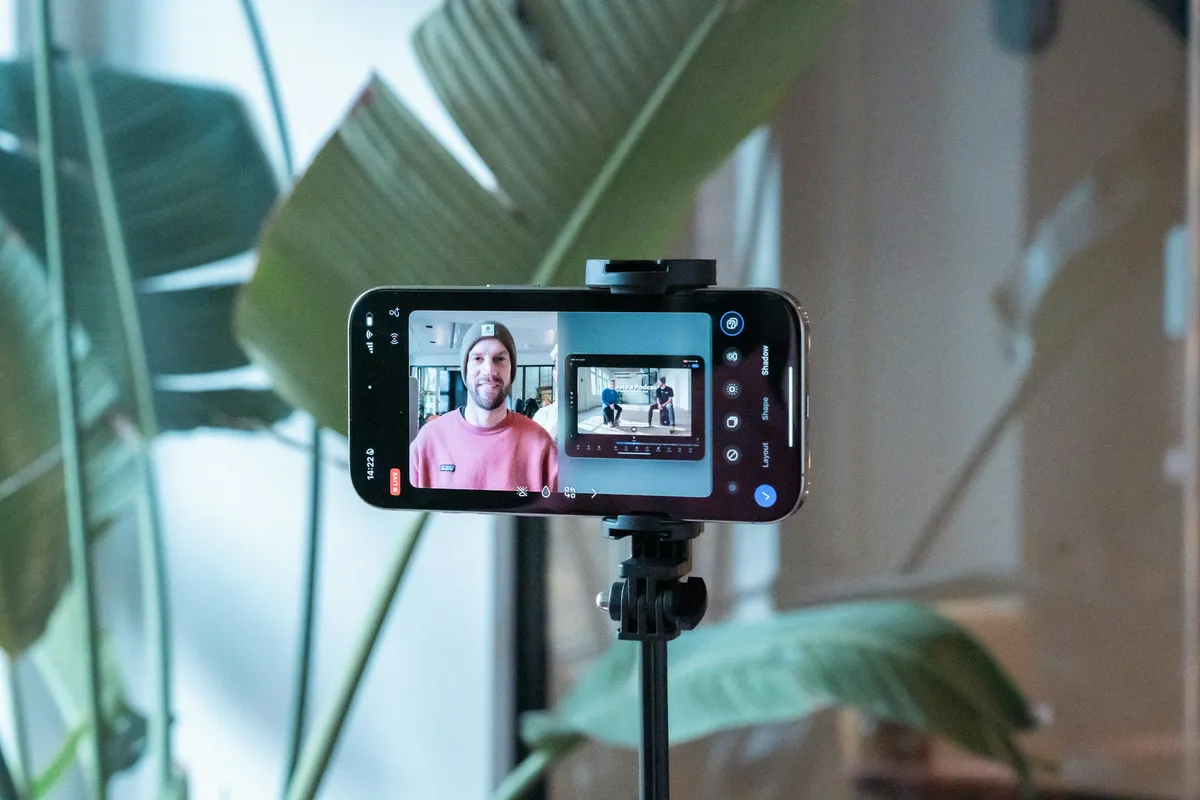
Use Your iPhone or iPad as a Teleprompter

Avocado turns any phone or tablet on your Wi-Fi into a live, synced teleprompter display in seconds — no app download, no account, no pairing. Open a URL in Safari and you're reading.

one-time payment · no subscription · macOS Sonoma 14+

How Avocado Solves Use Your iPhone or iPad as a Teleprompter

Key Advantages at a Glance

  • 100% Invisible on Use Your iPhone or iPad as a Teleprompter
  • Native macOS System Integration
  • Voice-Activated Smart Scrolling
  • Zero Latency, On-Device AI

Frequently Asked Questions

Can I use my iPhone as a teleprompter display without downloading an app?
Yes — Avocado's Teleprompter Viewer is a webpage served directly from your Mac over Wi-Fi. Open the URL in Safari on your iPhone and it displays a fully synced teleprompter with no App Store download, no account, and no pairing required. Font size, colors, and smart cue markers all match the Mac app in real time.
How do I turn my iPad into a teleprompter display for my Mac?
Enable Director Mode in Avocado on your Mac — it generates a QR code for the Teleprompter Viewer. Scan it with your iPad's camera to open the viewer URL in Safari. Your iPad instantly shows a live, synced teleprompter display that updates as you edit the script or change settings on the Mac.
Does the teleprompter viewer work in Safari on iPhone?
Yes — the viewer is designed for iOS Safari. It detects iOS automatically and shows instructions to set Auto-Lock to Never so your screen stays on during a take, since Safari on local HTTP can't use the Screen Wake Lock API. The display, scrolling, and settings sync all work correctly in Safari without any special configuration.
Is the teleprompter viewer connection private? Does it go through the internet?
The viewer is served entirely over your local Wi-Fi network — there is no internet relay and no cloud server involved. Your script and session data never leave your home or studio. The Mac acts as the server and the phone connects directly to it, with no third-party infrastructure in the path.

Perfect eye contact, every single time.

Avocado lives in your notch. Stop looking off-screen and start engaging directly with your audience. Your eyes stay perfectly leveled with your camera.

Build trust visually

Audiences connect when you look directly at them.

Invisible on screen shares

Nobody knows you're reading a script. Completely private.

Clean UI

Avocado only shows exactly what you need.

Adaptive speed.
It learns as you speak.

Forget fiddling with speed sliders. Our smart adaptive model listens to your voice and perfectly matches the text scroll to your natural pace.

No manual guessing

Setup takes seconds. Avocado calibrates to you.

Pause when you pause

Take a breath or ad-lib. The text waits for you.

Float it anywhere.

Need to read notes while presenting Google Slides? Switch to Floating Mode. Detach Avocado from the notch and position it perfectly over any window.

Always on top

Overlay your script over key presentation apps.

Fully resizable

Make it as wide or compact as you need it to be.

Script Markers.

Jump instantly to key sections in your script without ever scrolling manually. Avocado supports fully automated markers using any customizable syntax.

Automated Structure

Start any line with your marker, and it dynamically becomes a visual Marker.

Editor Sidebar

Toggle the sidebar to see all your active markers and jump between them instantly.

Your AI speech coach.

Using on-device Apple Intelligence, Smart Cues automatically analyzes your script and invisibly sprinkles pauses, breaths, and smiles to give you the perfect pacing naturally.

Apple Intelligence

Processes locally on your Mac's Neural Engine. 100% private.Requires macOS 15.1+ & Apple Silicon

Smarter Delivery

Reminds you exactly when to breathe or pause for dramatic effect.

The invisible teleprompter that listens to you.

Level up your virtual meetings, webcasts, and tutorials with an invisible, voice-tracking prompter.

Free

Basic

Essential features to get you started.

$0

No credit card required.

Notch and Floating modes
Script Markers
Custom sizes, colors & invisibility
Voice-activated scrolling up to 200 words
PowerPoint (.pptx) notes import
Focus Guide (dims already-read text)
Fully private (works offline)
Pro

Avocado Pro

All Avocado features included.

$19.99

One-time payment. Yours forever.

Everything in Basic
Unlimited voice-activated & adaptive speed
Mouse scroll & pause on hover
AI Smart Cues (Apple Intelligence)
Hide controls & stats when playing
Follow Mouse (auto-jumps to active monitor)
Director Mode (remote control from any device)
Teleprompter Viewer (phone/tablet as display)
Mirror Text (hardware teleprompter rigs)
2 personal macOS devices
Free Tool

How fast do you present?

Avocado is the only prompter that auto-scrolls to match your exact Words Per Minute. Take our free 30-second test to find your natural speaking rhythm and discover your presenter archetype.

Take the Free Rhythm Test

Questions & Answers

Everything you need to know about Avocado.

No. Avocado is free with no time limit and no credit card required. If you want unlimited voice scrolling and AI features, Avocado Pro is a one-time $19.99 — pay once, use forever, including all future updates.

The Free version is yours forever — no credit card required. It includes Notch and Floating modes, PowerPoint import, Script Markers, Focus Guide, full aesthetic customization (font size, colors, alignment), and complete screen-share invisibility. Voice-activated and adaptive scrolling are also included free for scripts up to 200 words.

Yes. Avocado uses on-device Apple speech recognition to scroll the script precisely as you speak and pause when you stop — no cloud, no latency. It learns your natural reading pace in real time so you never need to touch a slider. Voice-activated scrolling is free for scripts up to 200 words; Avocado Pro removes that limit entirely.

Yes. While Notch mode is designed to blend into the MacBook camera notch for perfect eye contact, Floating mode lets you drag and resize the prompter window anywhere on screen. It works great on external monitors, studio displays, and older Macs without a notch.

Absolutely — Avocado is built for any on-camera moment. Solo YouTube videos, course recordings, Loom walkthroughs, podcast intros, audition tapes. Notch mode places your script directly below the lens so you maintain natural eye contact with the camera, and since Avocado is invisible to screen capture, it won't appear anywhere in your recording.

How to use a teleprompter without looking like you're reading

Yes. Everything stays on your Mac. Voice recognition, AI Smart Cues, and your scripts are all processed on-device using Apple frameworks — no cloud uploads, no account required, and it works completely offline.

No. Avocado is completely invisible during screen shares and recordings. Whether you're on Zoom, Google Meet, Microsoft Teams, recording a Loom walkthrough, or streaming through OBS, your teleprompter stays entirely hidden — it won't appear in screenshots or video captures either.

Yes. Drop any .pptx file directly into Avocado and it instantly extracts your presenter notes as a ready-to-read script. Each slide is automatically bookmarked with a Script Marker so you can jump between sections from the sidebar. It's a free feature — no Pro license needed.

Still have questions?

See all features →
View mode