The Short Answer
Decide the one thing the viewer should know or do by the end. Pick a length and turn it into a word count, at about 150 words per minute. Outline it as a hook, the problem, your point, the proof and a call to action. Then write it the way you'd say it out loud, read it aloud, and cut about 10%.
The rest of this guide walks through each step, with a template and a full example at the end.
1. Decide the One Thing
Before you write a word, finish this sentence: "After watching this, the viewer will…" Know how to do something, understand one idea, sign up, buy, book a call. If you can't finish it in one line, the video is trying to do too much, and it'll feel that way to watch.
Write down who it's for, too. A script for people who've never heard of you starts in a different place from one for existing customers.
2. Pick a Length, Then a Word Count
Most people speak at about 150 words per minute on camera, so the length of your video sets your word budget before you start:
| Video length | About how many words |
|---|---|
| 30 seconds | 75 words |
| 1 minute | 150 words |
| 2 minutes | 300 words |
| 3 minutes | 450 words |
| 5 minutes | 750 words |
| 10 minutes | 1,500 words |
If you talk faster or slower than average, measure your pace and use your own number. Writing to a budget stops the most common script problem: a "two-minute" video that runs five.
3. Outline It Before You Write It
Most talking-head videos, from a product launch to a tutorial intro, work with the same five parts:
- Hook (the first 5 to 10 seconds). Why this is worth watching, said straight away. A result, a question, or the problem in one line. Don't open with "Hi, my name is".
- Problem. What's hard, annoying or confusing for the viewer right now. Make them recognise it.
- Point. Your answer, idea or product. For a longer video, this is two or three points, each in its own section.
- Proof. An example, a number, a demo or a short story that makes the point believable.
- Call to action. The one thing to do next, said plainly. One action, not three.
Give each part a rough share of the word count. In a one-minute video, the hook and the call to action get a sentence or two each, and the middle gets the rest.
4. Write for the Ear, Not the Page
A script is something you say, not something someone reads. Sentences that look fine on paper are hard to say and hard to follow:
- Keep sentences short. One idea each. If you need a breath in the middle, split it.
- Use contractions and everyday words. "It's", "you'll", "use", "help". Not "it is", "utilise" or "facilitate".
- Say "you". Talk to one viewer, not to "everyone watching".
- Repeat the point. On the page, repeating yourself is padding. Out loud, saying the key idea twice is how it sticks.
There's more on making a script sound natural when you read it in how to read a teleprompter without looking like you're reading.
5. Note What the Viewer Sees
If the video cuts to a screen recording, a product shot or a slide, note it in the script next to the line it goes with, in brackets or a second column. It tells you what to film, and it stops you describing things the viewer can already see. For a screen recording, say what you're doing and why, not every click.
6. A Video Script Example
Here's a short script for a small bakery announcing online orders. It's 99 words, about 40 seconds at an average pace, with each part of the outline marked:
# Hook
You can now order our sourdough before you leave the house. [pause]
# Problem
For years, the best loaves were gone by ten. If you came in after work, you got a baguette and an apology.
# Point
So from Monday, you can order online the night before. Pick your bread, pick a time, and it's waiting at the counter with your name on it. [breathe] No account and no app, just our website.
# Proof
We tried it with forty regulars last month, and not one of them missed out on a loaf.
# Call to action
The link is below. Order tonight, and we'll see you in the morning. [smile]
Every sentence is short enough to say in one breath, the hook is the news itself, and the call to action is a single step.
7. Format It So You Can Read It
If you'll read the script to camera, the layout matters as much as the words:
- Break it into sections. A heading for each part of the outline lets you find your place and restart a take from the right spot.
- Mark the pauses. Put [pause] after a line that should land and [breathe] before a long one. Without them, read speech runs together.
- Keep the text big and the lines short. Five to eight words a line keeps your eyes from sweeping. Here's how to size it.
- Put it next to the camera. Reading from the middle of the screen shows on camera. A teleprompter puts the words right under the lens.
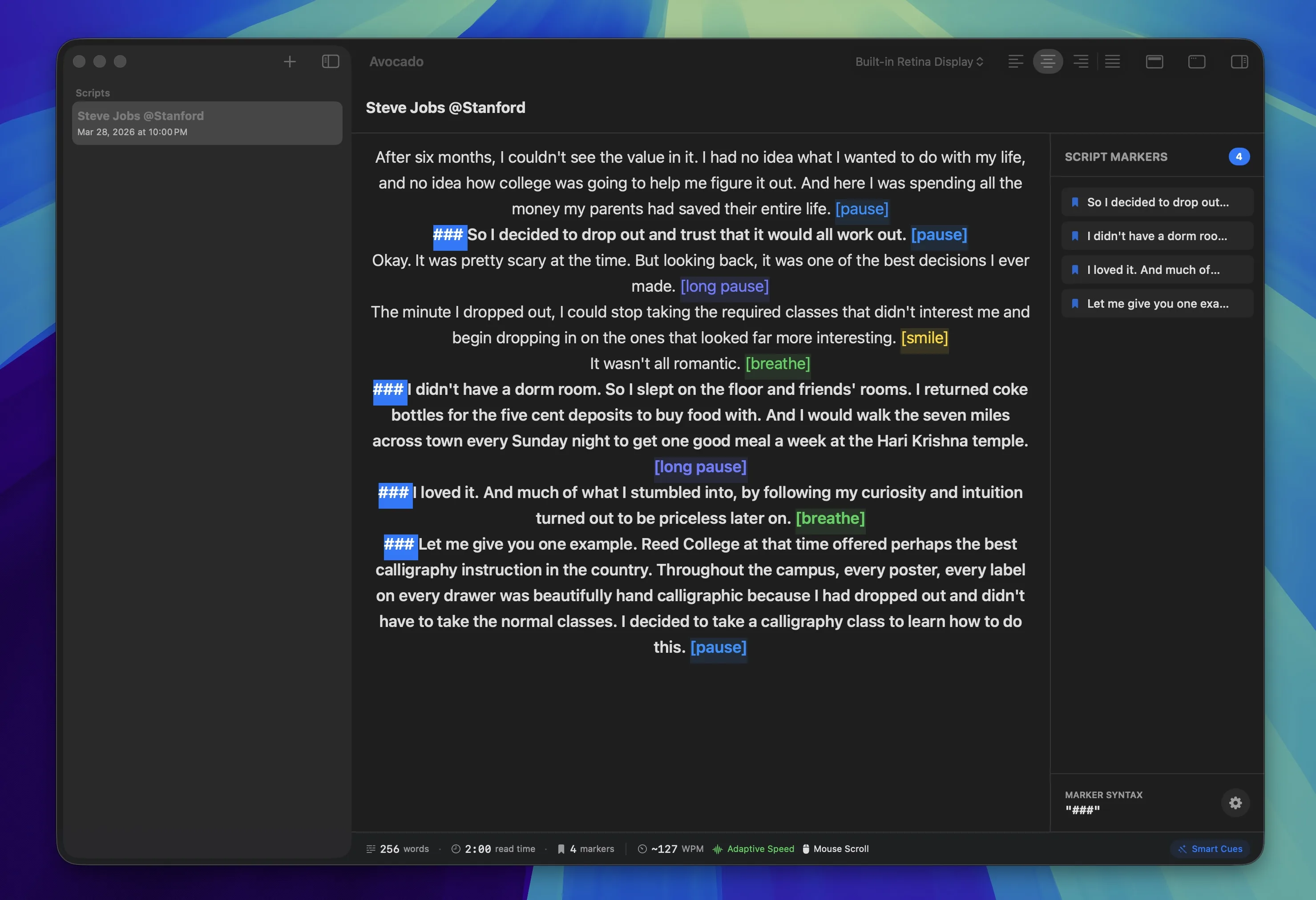
Avocado, a free teleprompter for Mac, works this way. Type # to start a section, add cues like [pause], [breathe] and [smile] inline, and it shows the word count and read time as you write. Then it scrolls the script in the MacBook notch, right next to the camera. With Avocado Pro, the script follows your voice, and Claude, Cursor or Codex can write drafts straight into it.
8. Read It Out Loud, Then Cut
Read the whole script out loud at the speed you'll record at, and time it. Anything you stumble over, rewrite. Anything you could cut without the viewer missing it, cut. Most first drafts run about 10% long, and the shorter version is almost always better.
No teleprompter yet? Paste your script into our free online teleprompter and read it in any browser.
Then record. If you're filming yourself on a Mac for the first time, here's how to record yourself on a Mac, and for a script read over slides, how to record a video presentation.
