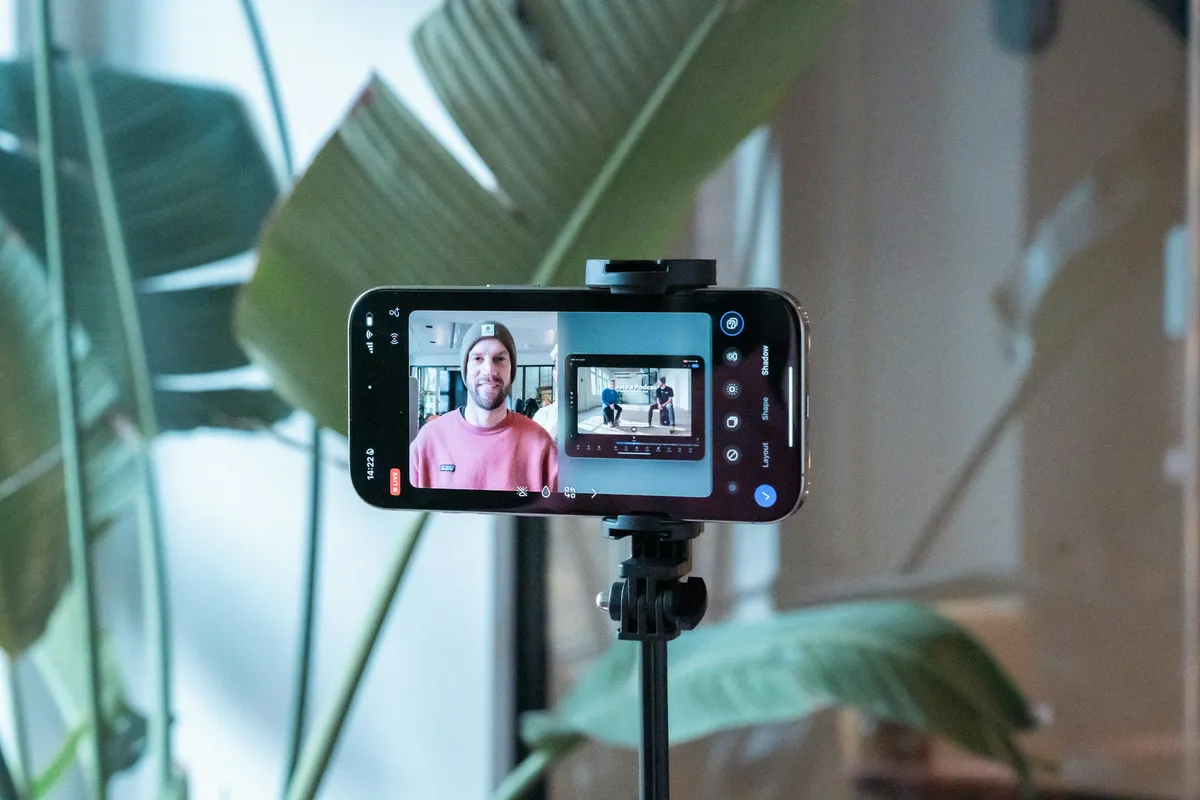
The Short Answer
Yes, CapCut has a teleprompter, but only in the phone app. Open CapCut on your iPhone or Android phone, tap All tools, then Quick actions, then Teleprompter. Tap the pencil to paste your script, set the scroll speed and text size, drag the text close to the camera, and press record. It's free. It isn't in CapCut for PC, Mac or the web, and it scrolls at a speed you set rather than following your voice.
How to Use the CapCut Teleprompter
- Open it. In the CapCut app, go to All tools › Quick actions › Teleprompter. The camera opens with the teleprompter on top of it.
- Add your script. Tap the pencil icon. Type or paste the script, or pull text from a link or a video. CapCut's AI writing options can tighten it here. Tap Done.
- Set it up. Choose the scroll speed, font size and text color, then drag the text box as close to the camera as you can. You can also set a recording time and mode.
- Pick a camera. It starts on the front camera. The flip icon in the top-right switches to the rear camera, and the script keeps scrolling either way.
- Record, then edit. Press record and read. The clip opens in CapCut's editor, where you can cut it and export.
Put the text box right under the front camera, not in the middle of the screen. Viewers read a glance as eye contact when you look up to about 5° below the lens, and notice almost any look further down. (Here's why the direction matters.) Keep the font big enough that you can read it at arm's length, and the lines short, so your eyes don't sweep across the screen.
What It Can't Do
CapCut's teleprompter is a feature inside a video editor, built for a quick vertical clip. For anything longer, a few gaps show up fast:
- It scrolls at a fixed speed. You set the speed before you start, so if you slow down for a point or stop to laugh, the script keeps going. Most people end up re-recording until their pace matches the slider.
- It's phone only. CapCut's own help pages say the teleprompter isn't supported in CapCut for desktop or web, so it's no help if you record on a laptop or a camera.
- No remote. CapCut doesn't document support for page turners or a watch, so every change means touching the phone mid-take.
When You Want the Script to Follow You
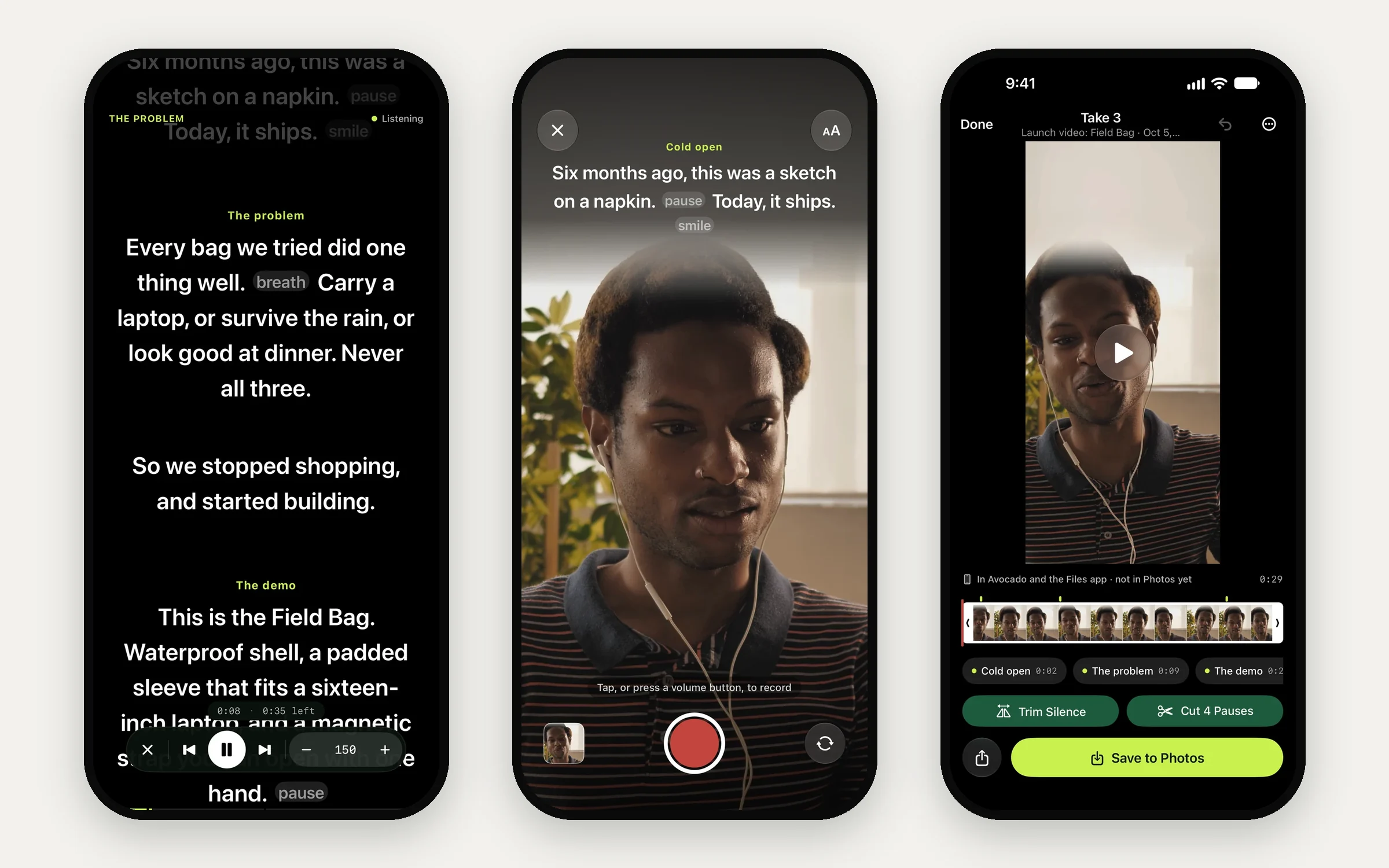
Avocado is a teleprompter app for iPhone and iPad that does the reading part properly, and hands the clip to CapCut for the edit. The script sits in a band right under the front camera and, with Avocado Pro, follows your voice: it moves as you speak and waits when you pause, using speech recognition on your iPhone. The free version scrolls at a steady 50 to 300 words a minute, with no watermark and no time limit.
A workflow that works well for short-form video:
- Write and mark it up in Avocado. Start a line with # to make a cue for each section, and add [pause] where you want a beat.
- Record in Avocado. With Pro, the volume buttons start a take, and it stops a beat after your last line. Trim Silence and Cut Pauses tidy it in one tap, and it saves to Photos.
- Edit in CapCut. Import the take from Photos and add captions, music and effects as usual.
Your scripts stay in Avocado's library for the next video, and an Apple Watch can start and stop takes from across the room.
A Teleprompter for CapCut on PC and Mac
If you edit in CapCut on a computer, record there too. On a Mac, Avocado puts your script in the MacBook notch, right under the camera, or in a floating window under any webcam, and keeps it out of screen recordings. Record with QuickTime, Photo Booth or, with Pro, Avocado's own Recording Studio, then bring the clip into CapCut. (Here's how to record yourself on a Mac.)
On Windows or a Chromebook, Avocado's free online teleprompter runs in any browser with no account, sets its speed in words per minute, and keeps your script on your device.
CapCut Teleprompter Not Working?
- Can't find it: it's under All tools › Quick actions, not in the editor. Update CapCut if it isn't there.
- Looking on a computer: it doesn't exist in CapCut for PC, Mac or the web.
- Script runs ahead of you: lower the speed, or use a teleprompter that follows your voice.